
Publish your company's stories (rental companies only)
For rental companies: share a car, an offer or a short video as a story for 24 hours. Renters can't post stories; they can only watch them.
- For
- Rental companies
- Where
- App
- 3 min
Goal: Publish a story that opens your car or offer.
Steps
Step 1: On the Vendor tab tap Stories in your tools.
Step 2: Tap New story. Choose From my cars, Upload photo or Upload video.
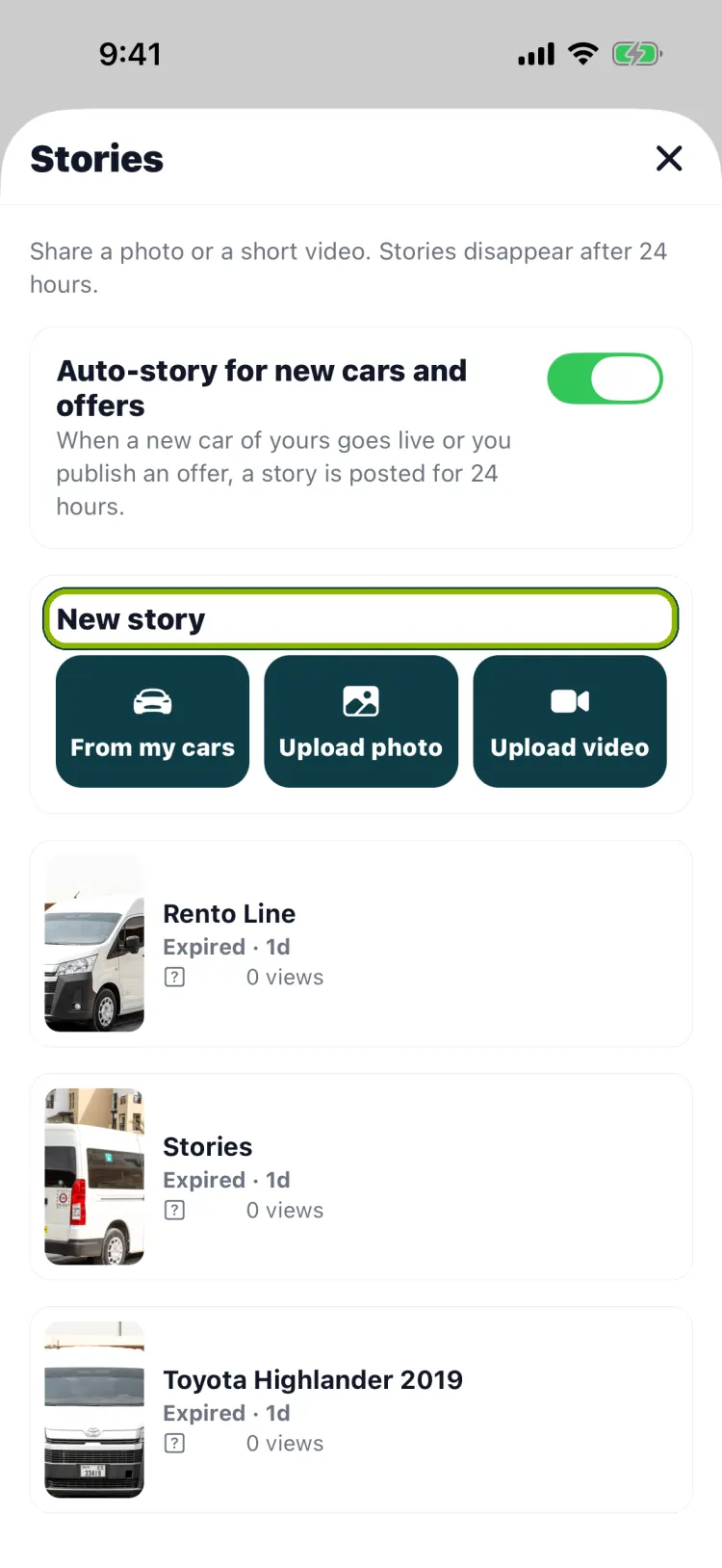
Stories window for companies with New story marked Step 3: Optional: add text and choose its position (Top, Middle or Bottom).
Step 4: Under Button on the story choose A car, An offer or My company page, so clients can open it from the story.
Step 5: Tap Publish story. It stays live for 24 hours. You see its views in the Stories list.
Tips
- This guide is for rental companies. Renters can't post stories; they can only watch them.
- Turn on “Auto-story for new cars and offers” and RentoLine posts a story for you when you add a car or an offer.
- No prices in video stories: prices change, stories should not.
- Stories may need the Plus plan: the app tells you if your plan does not include them.
Questions
Can renters post stories?
No. This guide is for rental companies. Renters can't post stories; they can only watch them.
How many stories can I post?
There is a daily limit and a limit of live stories. The app tells you when you reach it.
Related guides
RentoLine has no online booking and no payments: you agree and pay directly with the rental company.
Still need help?
Our team answers by free call, on WhatsApp (+44 7577 563300), by email and in chat.