
Run ads and top up your ad wallet
Show a car or your page at the top of RentoLine. You pay per click from your ad balance.
- For
- Rental companies
- Where
- App · Website / Web panel
- 4 min
Goal: Reach more clients in your city.
Steps
Step 1: On the Vendor tab tap Ads in your tools.
Step 2: Tap “Add funds” to top up your Ad balance (on iPhone through the App Store, on the web by card).
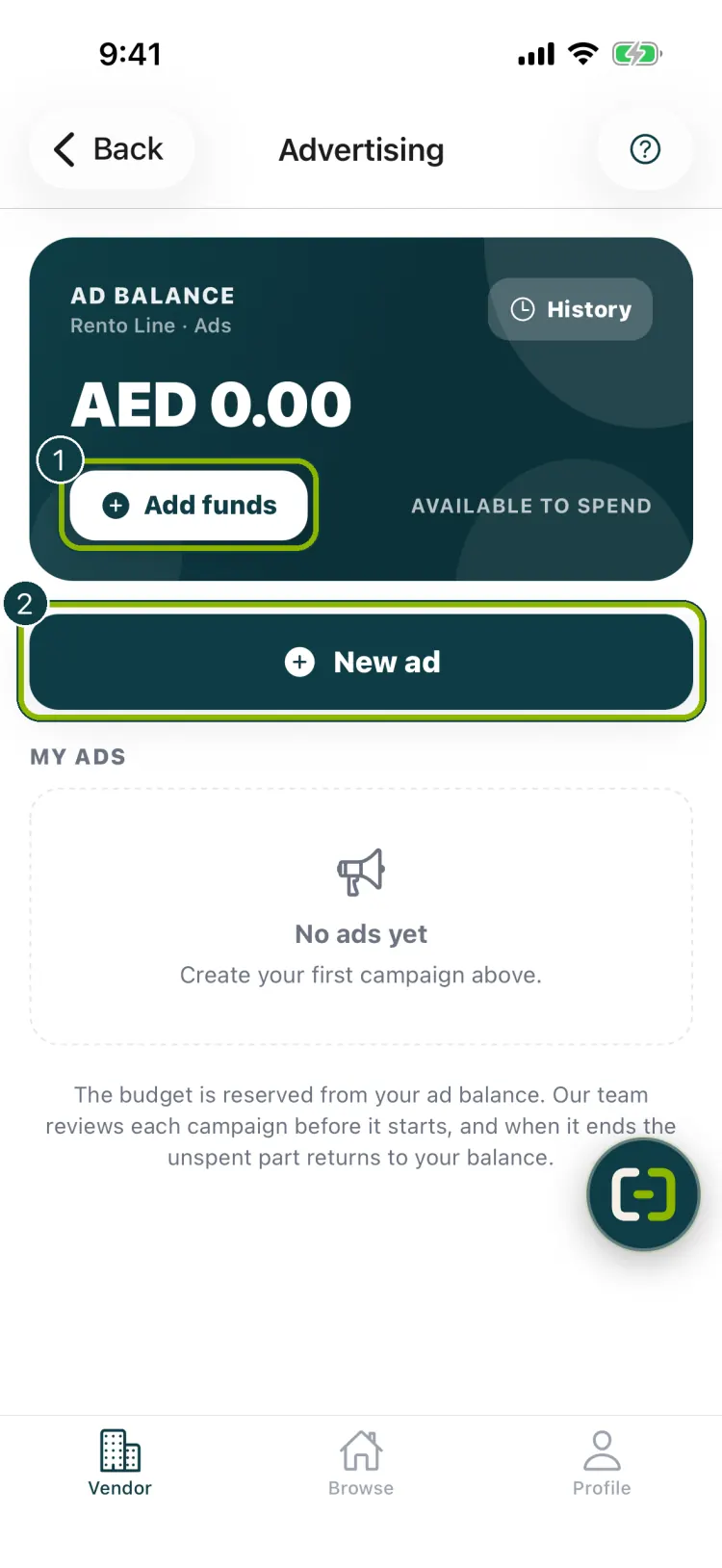
Ads screen in the app with Add funds and New ad marked Step 3: Tap “New ad”. Step 1: choose what to promote — a car, a category or your company page.
Step 4: Step 2: choose countries, duration, total budget, price per click and search words.
Step 5: Step 3: check the preview and tap “Launch ad”. Your ad shows In review.
Step 6: When RentoLine approves it, the ad goes live at once. If you chose a later start date it shows Scheduled and starts on that date.
Step 7: You get a notification at each step — sent for review, live, paused, not approved, budget used up. Open them from the bell 🔔 or Alerts on the Vendor tab.
Tips
- Ads show a “Sponsored” tag. On rentoline.com a sponsored company can also appear as a company card at the top of the results.
- Pause or resume an ad at any time.
- Not approved? The unspent budget goes back to your ad balance and the reason is shown on the ad.
Questions
When is my balance charged?
Only when a client clicks your ad, up to your budget.
Related guides
RentoLine has no online booking and no payments: you agree and pay directly with the rental company.
Still need help?
Our team answers by free call, on WhatsApp (+44 7577 563300), by email and in chat.