
Manage notifications
Choose which notifications you get: chat replies, offers and updates.
- For
- Renters
- Where
- App
- 1 min
Goal: Get only the notifications you want.
Steps
Step 1: Go to Profile → Settings → Privacy & safety.
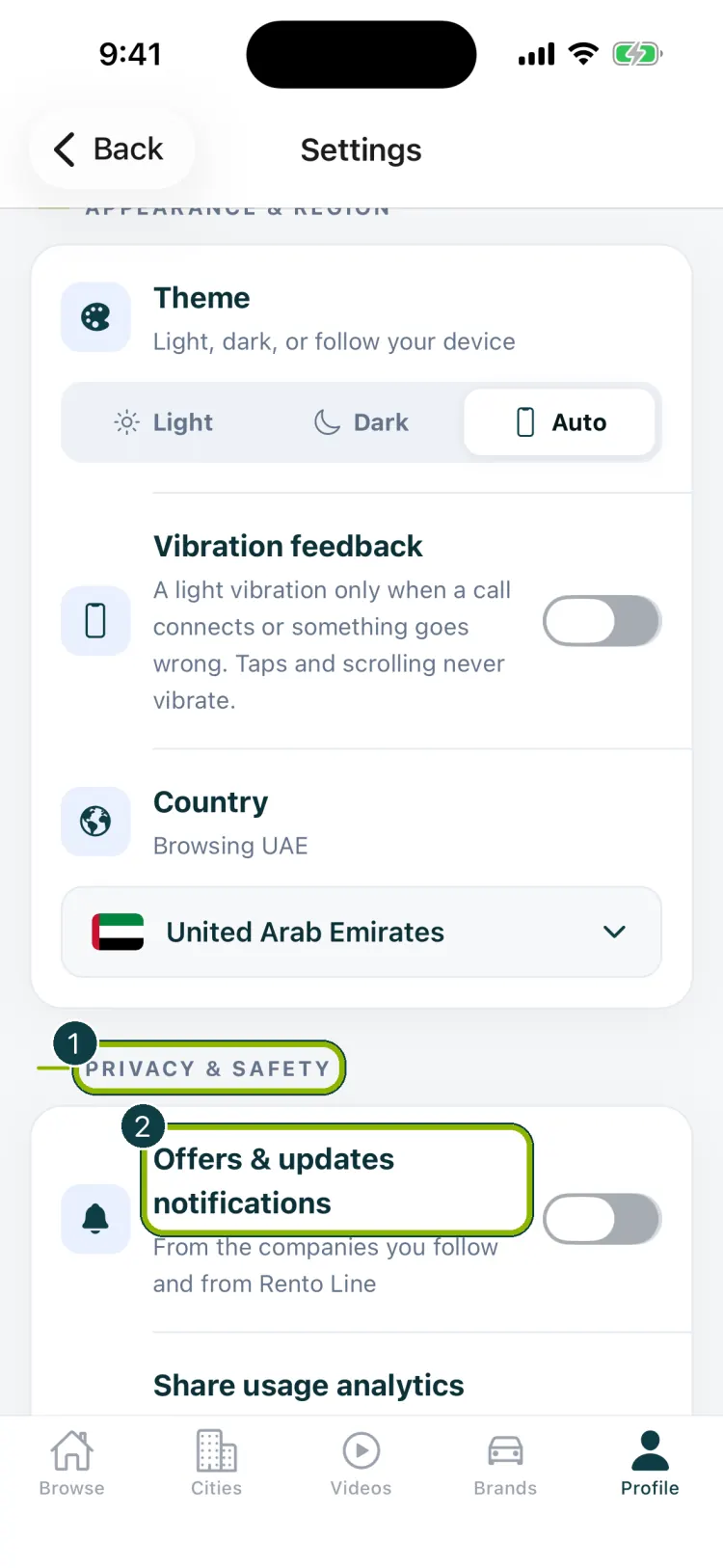
Privacy & safety in the app settings with the section title and “Offers & updates notifications” marked Step 2: Turn “Offers & updates notifications” on or off.
Step 3: Allow notifications for RentoLine in your phone settings to get chat replies and calls.
Related guides
RentoLine has no online booking and no payments: you agree and pay directly with the rental company.
Still need help?
Our team answers by email.