
Change language and currency
Use RentoLine in your language and see prices in your currency.
- For
- Everyone
- Where
- App · Website
- 1 min
Goal: Read everything in your language.
Steps
Step 1: In the app go to Profile → Settings → Language & currency.
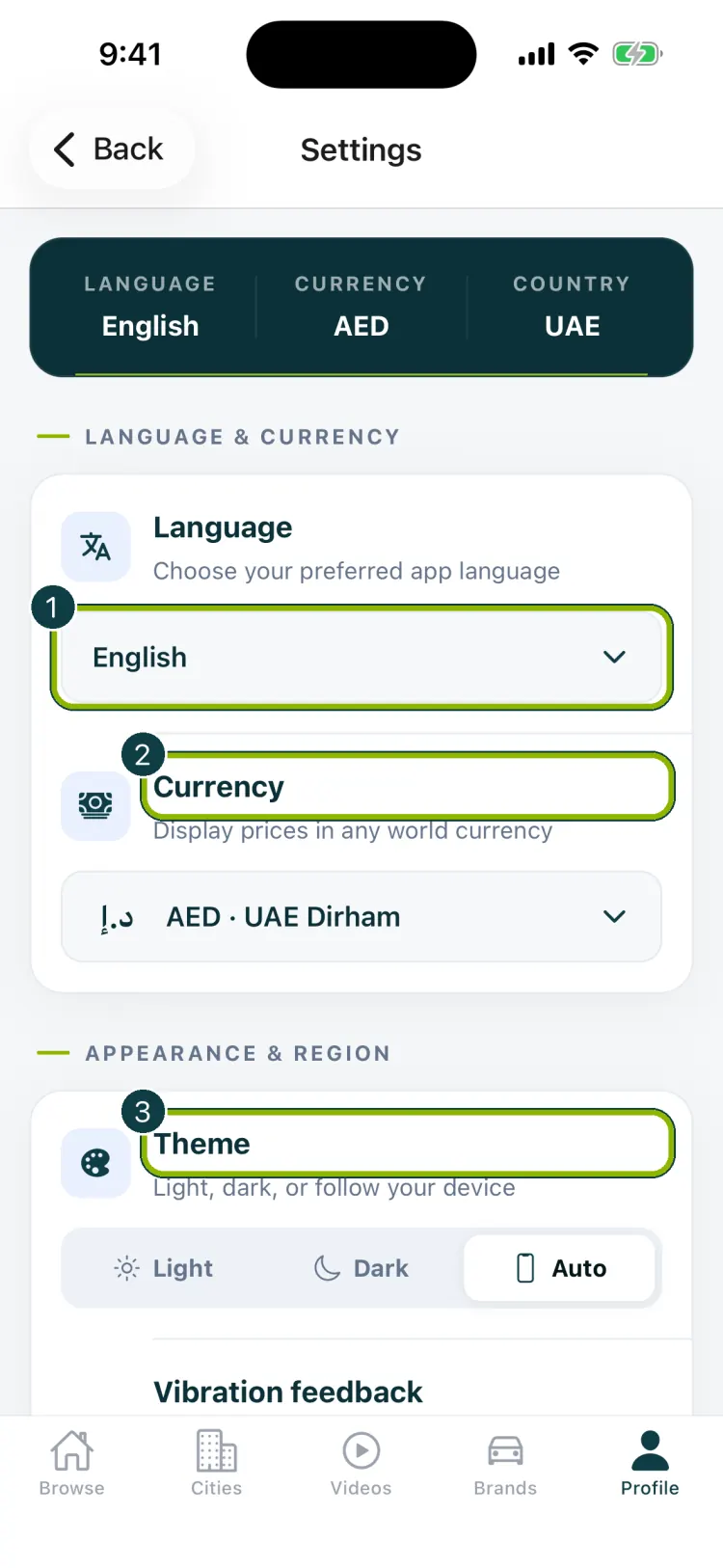
Settings screen in the app with Language, Currency and Theme marked Step 2: Tap Language and pick yours. Tap Currency and pick yours.
Step 3: On the website, use the language and currency menus at the top of the page.

Top bar of rentoline.com with the language menu marked, next to the currency menu
Tips
- Converted prices are a guide. The company confirms the price in its own currency.
Related guides
RentoLine has no online booking and no payments: you agree and pay directly with the rental company.
Still need help?
Our team answers by email.