
Dark mode
Use a light or dark look, or follow your phone.
- For
- Renters
- Where
- App
- 1 min
Goal: Change the app's look.
Steps
Step 1: Open Profile → Settings.
Step 2: Under Appearance & region tap Theme and choose Light, Dark or your device's setting.
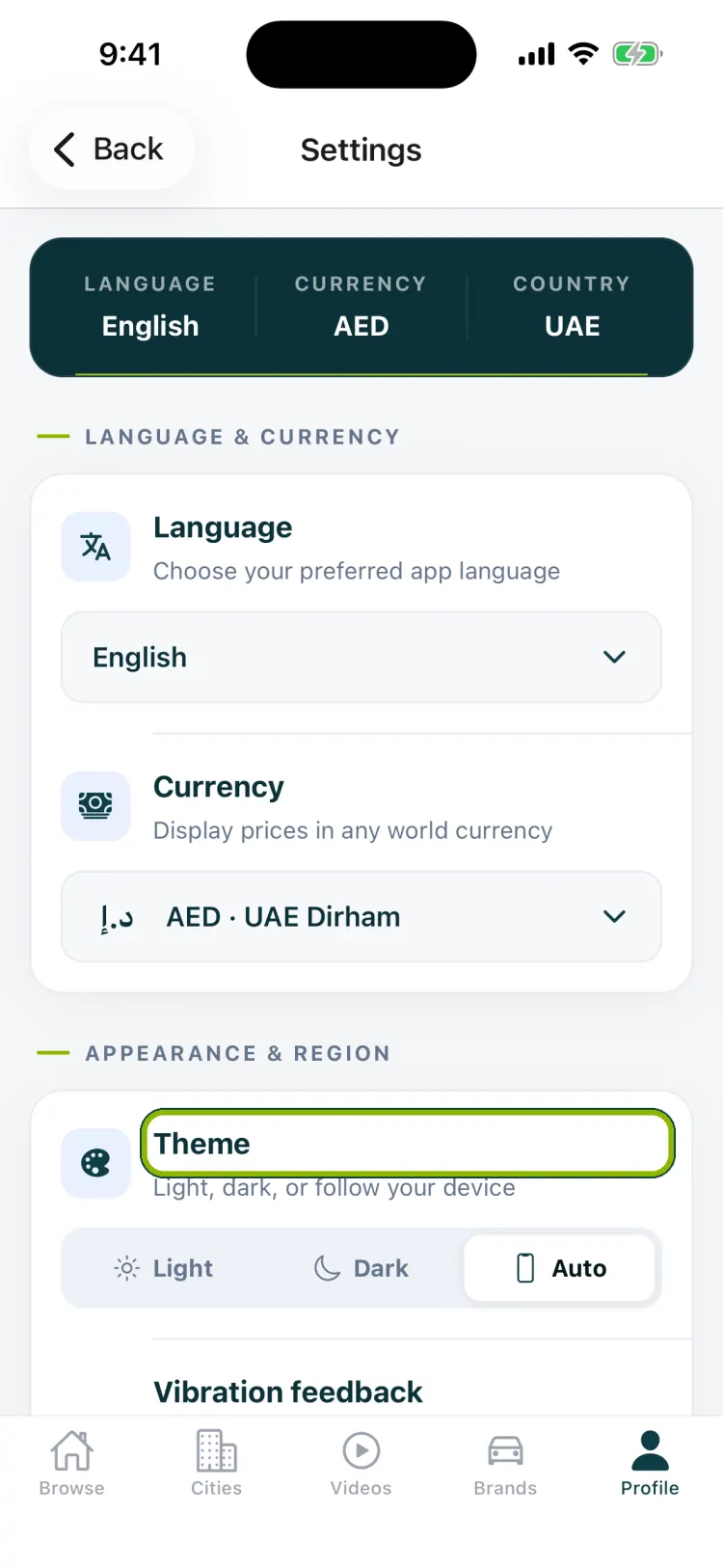
Settings screen in the app with Theme marked: Light, Dark or Auto
Related guides
RentoLine has no online booking and no payments: you agree and pay directly with the rental company.
Still need help?
Our team answers by email.