
Change language and currency
Use RentoLine in your language and see prices in your currency.
Эта инструкция доступна на английском и арабском.
- Для кого
- Все
- Где
- Приложение · Сайт
- 1 мин
Цель: Read everything in your language.
Шаги
Шаг 1: In the app go to Profile → Settings → Language & currency.
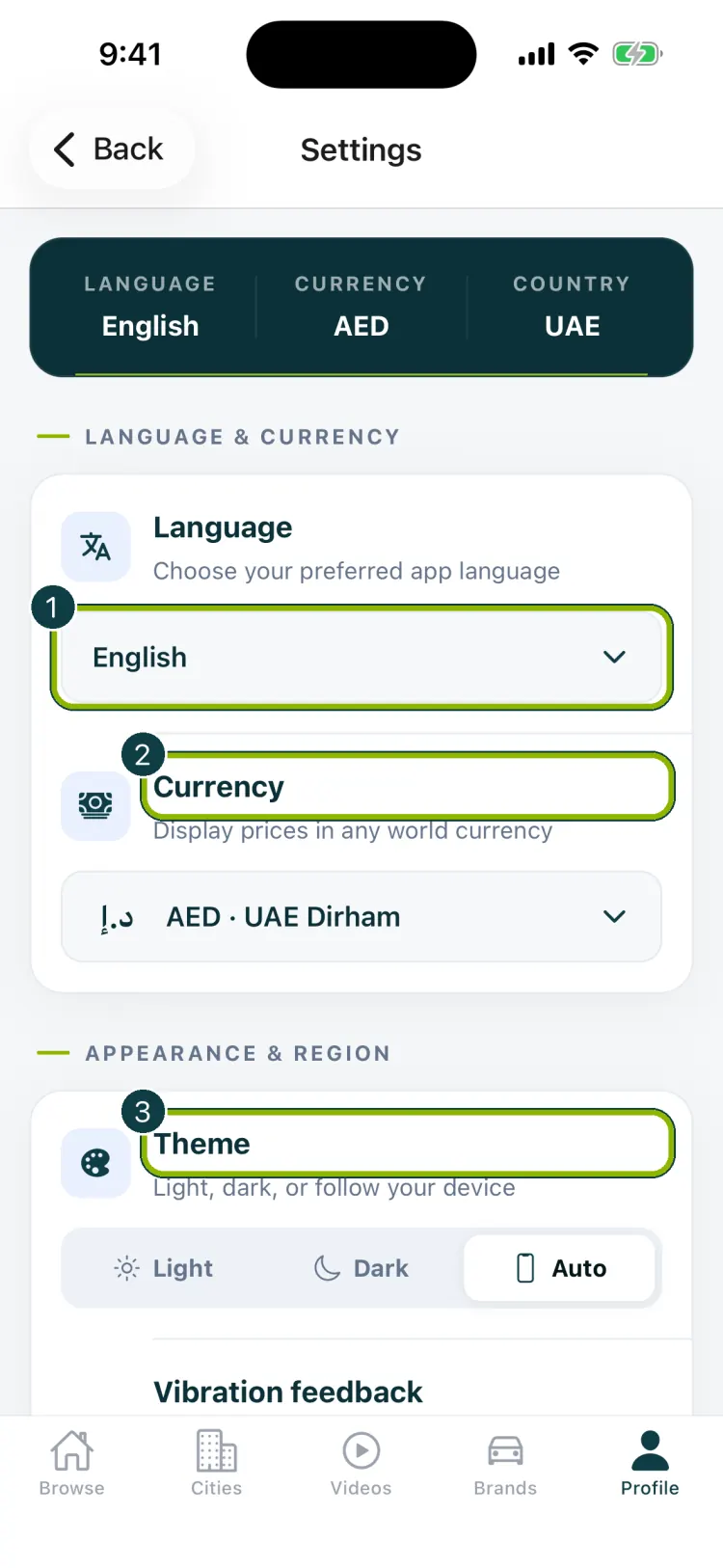
Settings screen in the app with Language, Currency and Theme marked Шаг 2: Tap Language and pick yours. Tap Currency and pick yours.
Шаг 3: On the website, use the language and currency menus at the top of the page.

Top bar of rentoline.com with the language menu marked, next to the currency menu
Советы
- Converted prices are a guide. The company confirms the price in its own currency.
Похожие инструкции
На RentoLine нет онлайн-бронирования и оплаты: вы договариваетесь и платите напрямую прокатной компании.
Нужна помощь?
Наша команда отвечает по электронной почте.