
Manage notifications
Choose which notifications you get: chat replies, offers and updates.
Эта инструкция доступна на английском и арабском.
- Для кого
- Арендаторы
- Где
- Приложение
- 1 мин
Цель: Get only the notifications you want.
Шаги
Шаг 1: Go to Profile → Settings → Privacy & safety.
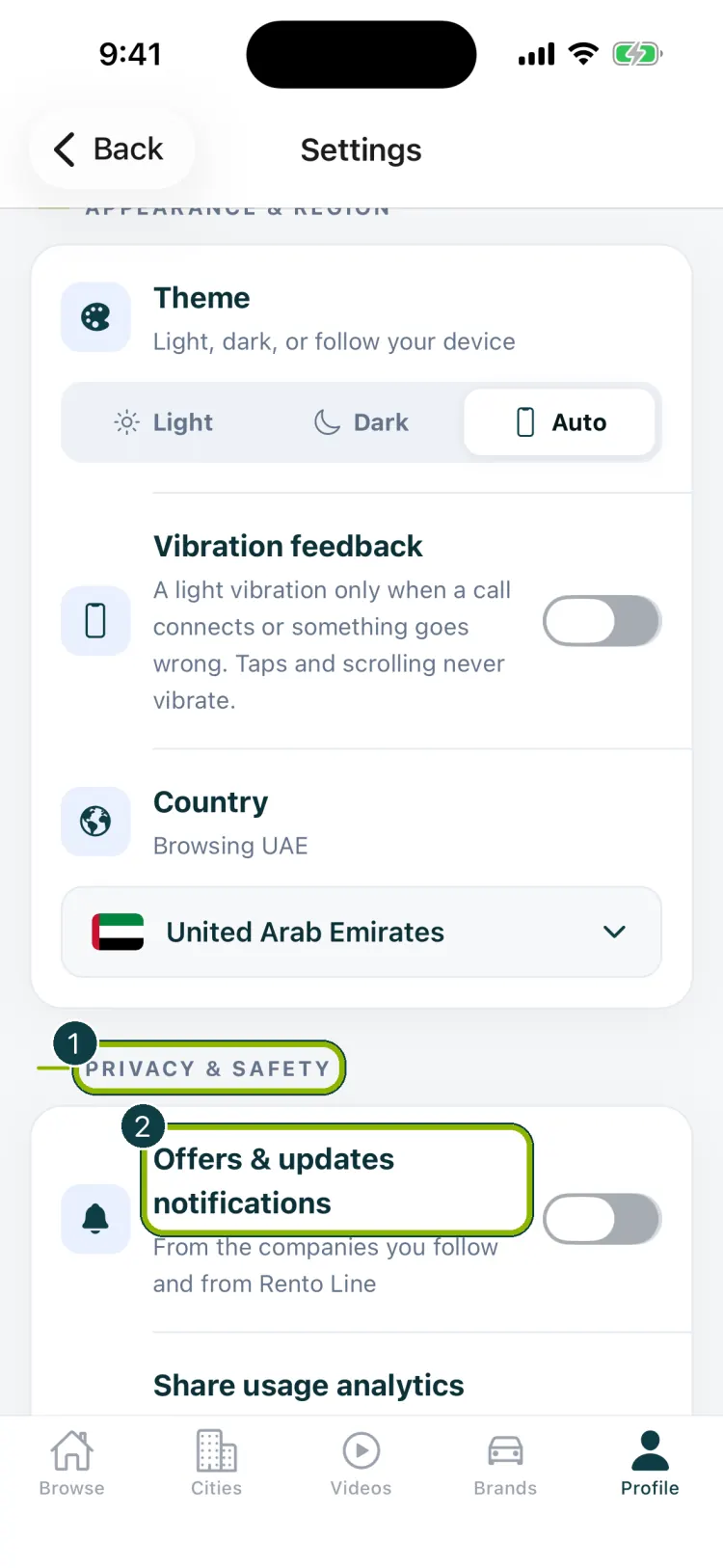
Privacy & safety in the app settings with the section title and “Offers & updates notifications” marked Шаг 2: Turn “Offers & updates notifications” on or off.
Шаг 3: Allow notifications for RentoLine in your phone settings to get chat replies and calls.
Похожие инструкции
На RentoLine нет онлайн-бронирования и оплаты: вы договариваетесь и платите напрямую прокатной компании.
Нужна помощь?
Наша команда отвечает по электронной почте.