
Answer calls and call back missed calls
Free in-app calls ring on your phone. Missed ones wait in Calls so you can call back.
- For
- Rental companies
- Where
- App · Website / Web panel
- 2 min
Goal: Never lose a client because of a missed call.
Steps
Step 1: When a client makes a free call, your phone rings like a normal call, even when the app is closed. Answer it.
Step 2: Linked an office desk phone? The call can ring there too — see “Link your office desk phone”.
Step 3: On the Vendor tab tap Calls to see your call history.
Step 4: Missed a call? Tap Missed calls on the Vendor tab and call the client back.
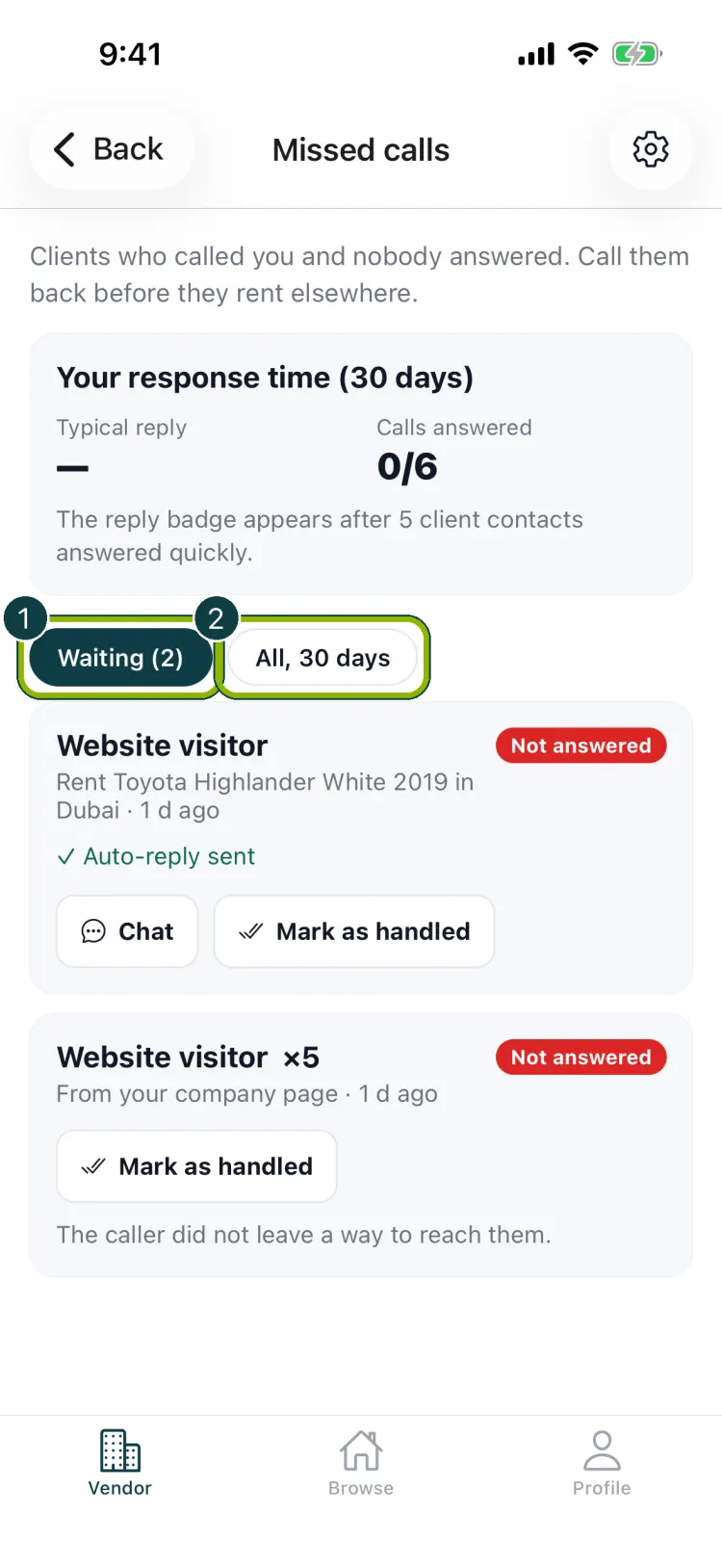
Missed calls screen with Waiting and All 30 days marked
Tips
- Allow notifications and the microphone for RentoLine, or calls cannot ring.
Questions
Do free calls cost me anything?
No. They use the internet and are free for you and the client.
Related guides
See your leadsEvery client who called or chatted with you, in one list.1 minReply to client messagesChat with clients and with RentoLine support from one inbox.2 minCompany alertsAll news about your company in one place: approvals, calls, messages and reviews.1 minLink your office desk phoneCustomer calls can ring on your office IP phone (Grandstream or any SIP phone / office PBX) as well as in the app.5 minCall back missed calls and send an auto-replyEvery client who called and got no answer waits in Missed calls. Call them back before they rent elsewhere.3 min
RentoLine has no online booking and no payments: you agree and pay directly with the rental company.
Still need help?
Our team answers by free call, on WhatsApp (+44 7577 563300), by email and in chat.