
Watch car videos
Swipe through short videos of real cars and contact the company from the video.
- For
- Renters
- Where
- App
- 1 min
Goal: See the car in motion before you call.
Steps
Step 1: Open the Videos tab.
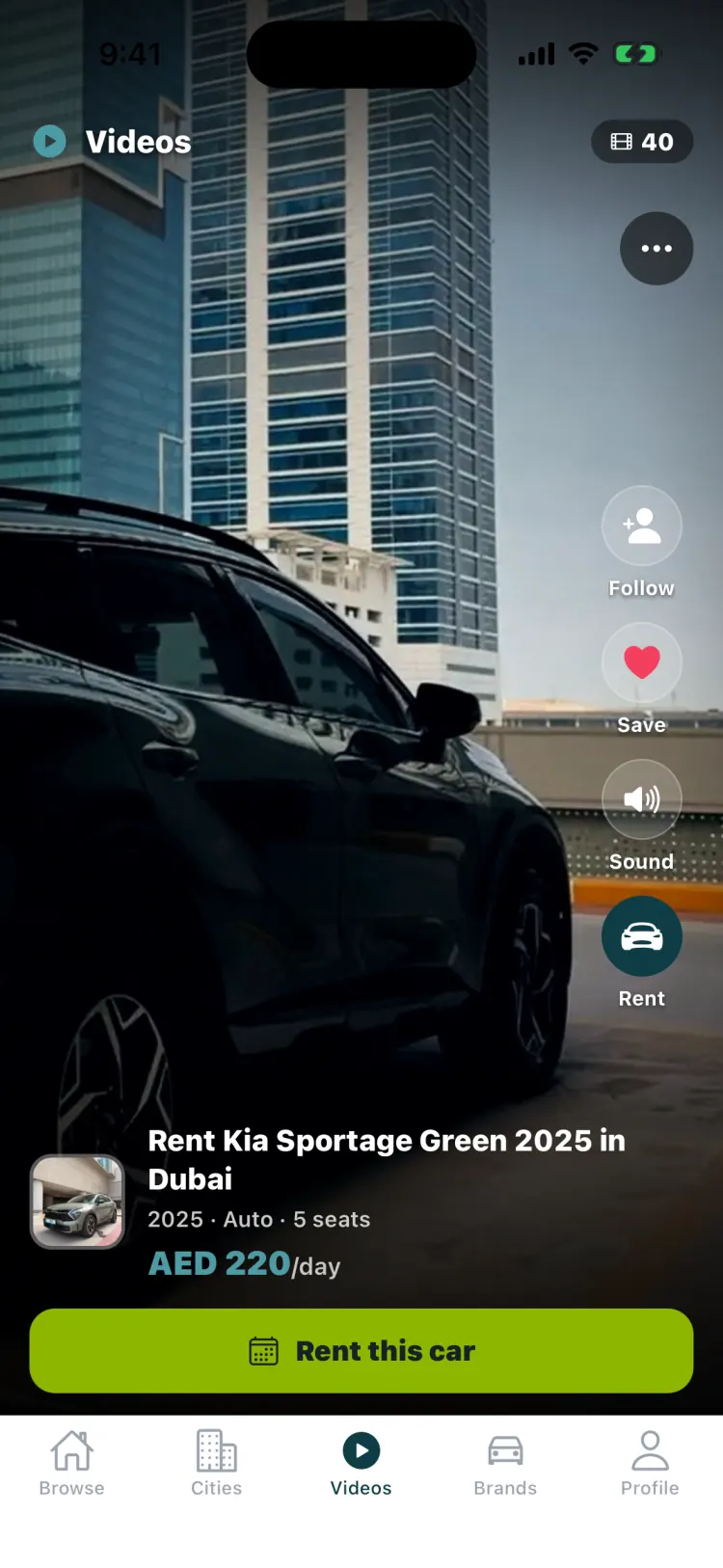
Videos tab in the app showing a car video with its buttons marked Step 2: Swipe up for the next video. Tap Sound to turn the sound on.
Step 3: Tap Rent to open the car, Save to keep it, or Follow to follow the company.
Tips
- Use More options to report a video or block a company.
Related guides
RentoLine has no online booking and no payments: you agree and pay directly with the rental company.
Still need help?
Our team answers by email.