
Import cars from your website
Smart Import reads the cars on your own website and adds them as drafts.
- For
- Rental companies
- Where
- Website / Web panel
- 4 min
Goal: Add many cars at once.
Steps
Step 1: In the web panel open Import Vehicles.
Step 2: Enter your website URL.
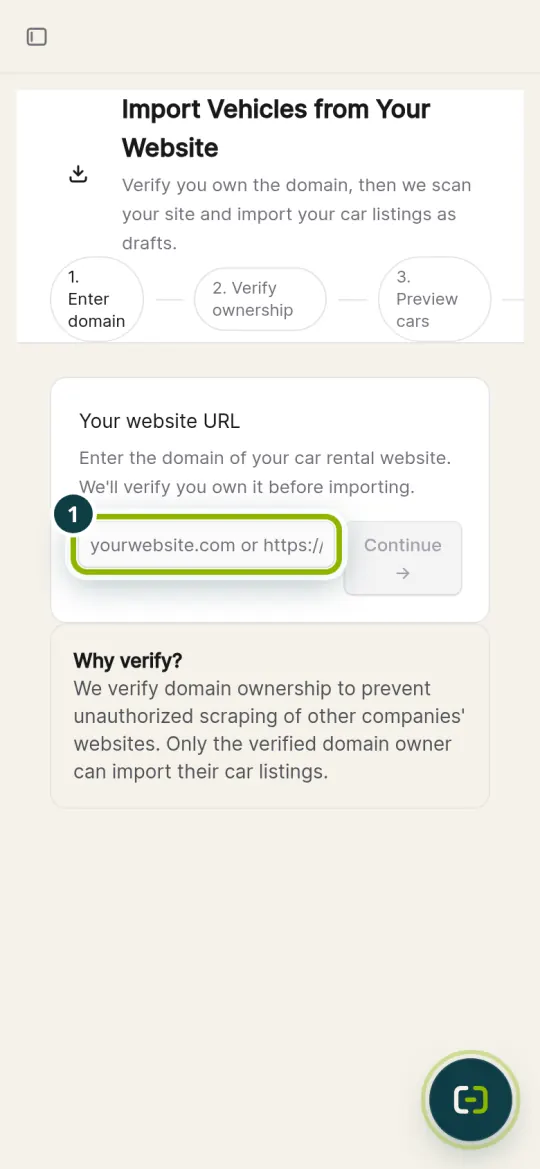
Import Vehicles page in the RentoLine web panel with the website address box marked Step 3: Prove the site is yours: add the meta tag, upload the file, or add a DNS TXT record. Wait for “Domain verified!”.
Step 4: Tap “Scan your website for car listings” and check the preview.
Step 5: Import. The cars arrive as drafts: check prices and photos, then publish.
Tips
- Always check imported prices and colours before you publish.
Related guides
RentoLine has no online booking and no payments: you agree and pay directly with the rental company.
Still need help?
Our team answers by free call, on WhatsApp (+44 7577 563300), by email and in chat.