
Complete your company page
Logo, banner, description, location and contact links — everything clients see on your page.
- For
- Rental companies
- Where
- App · Website / Web panel
- 4 min
Goal: Build trust before clients call.
Steps
Step 1: On the Vendor tab tap Company profile — called Company in older app versions (web panel: Rental Company).
Step 2: Upload your banner and logo (logo at least 400×400, banner 1600×500).
Step 3: Fill in Company details: name, city, location, phone and “About your company”.
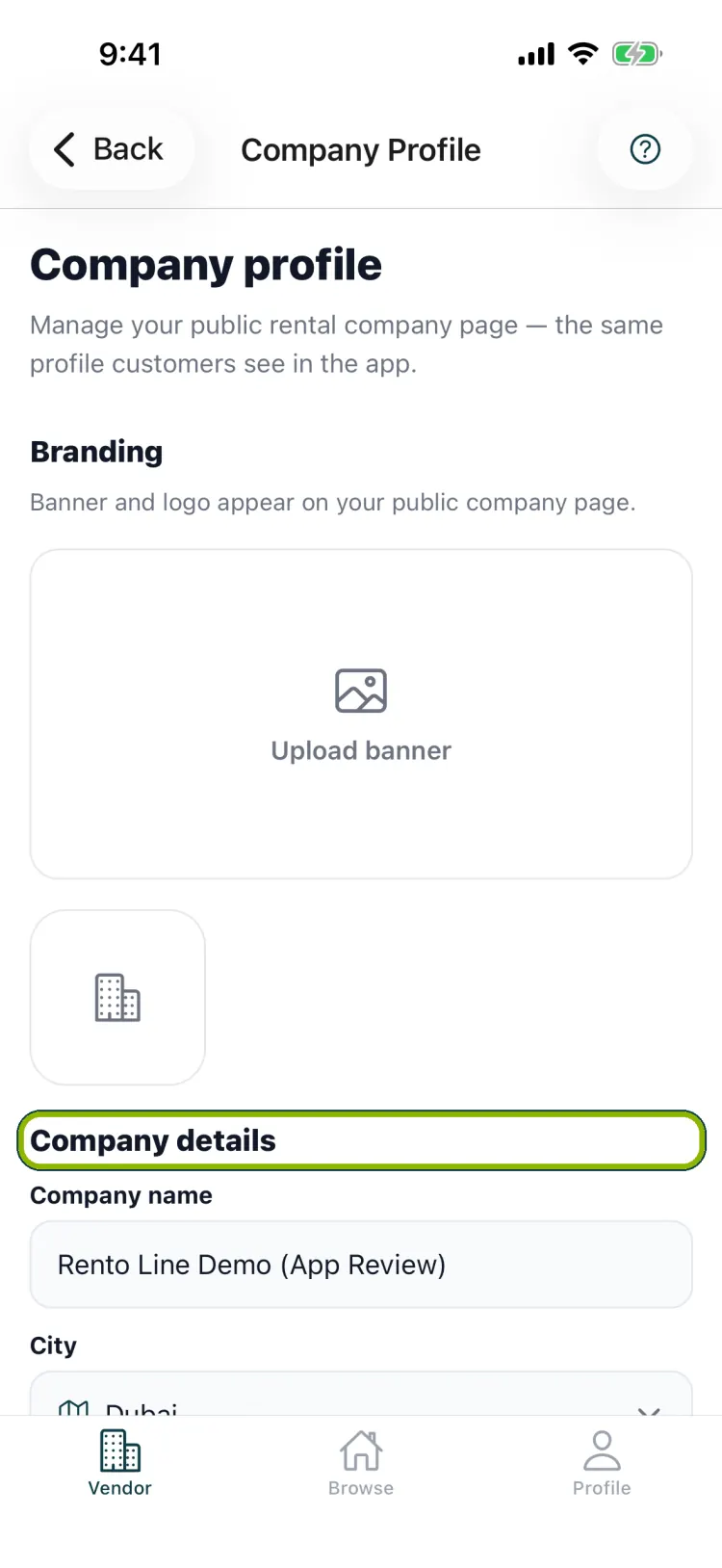
Company screen with the company details marked Step 4: Add WhatsApp, website, Instagram, Facebook, TikTok and YouTube under “Social & contact links”.
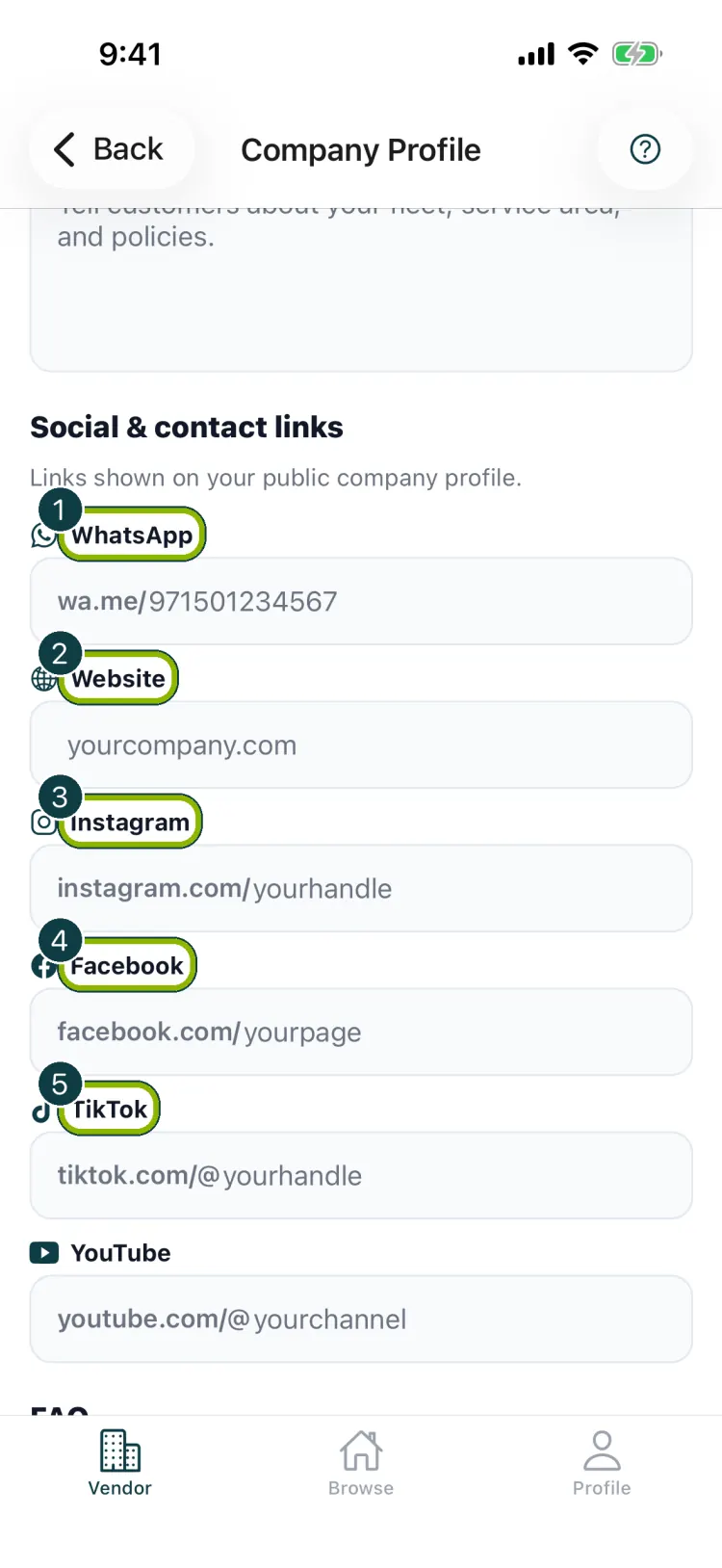
Company screen with WhatsApp, website and social links marked Step 5: Tap “Save company profile”, then “Preview public profile”.
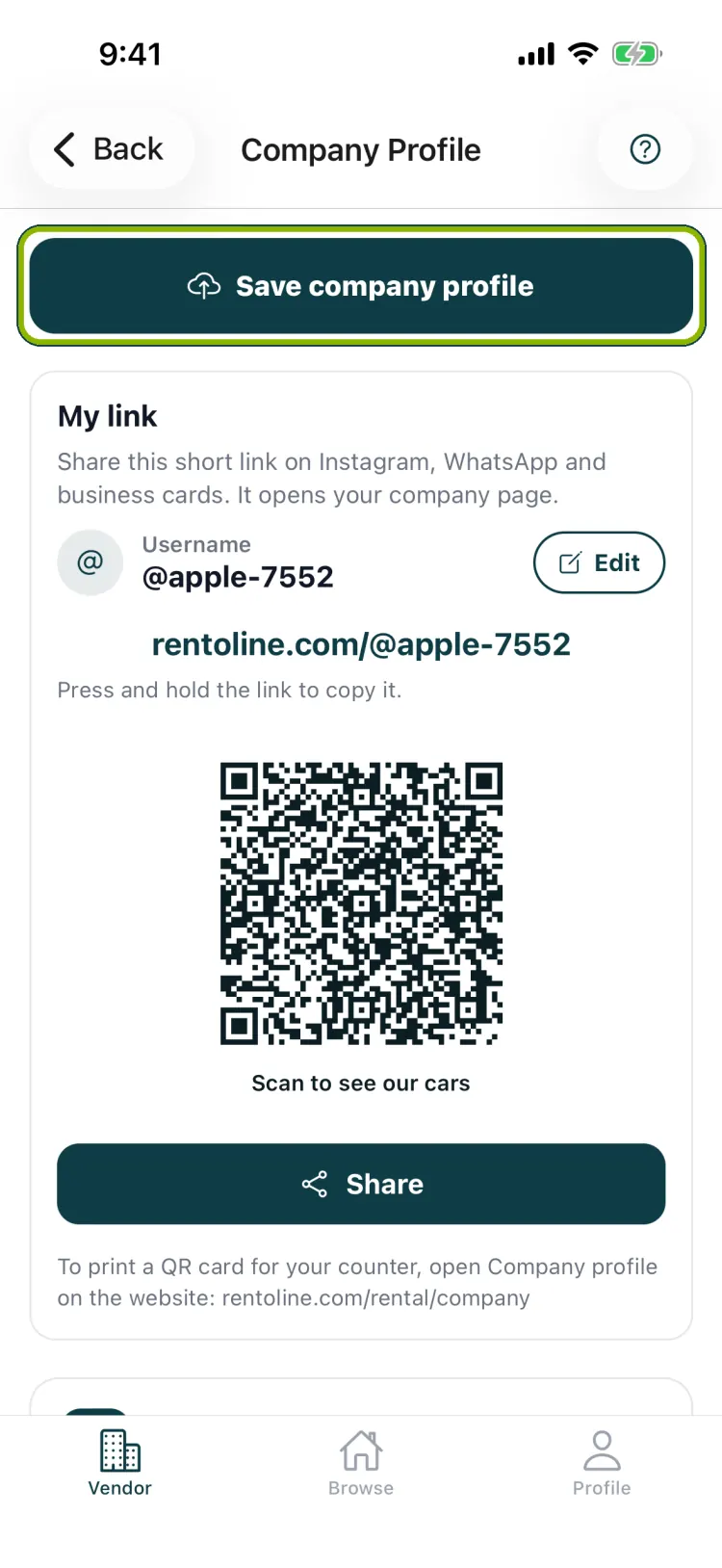
Company screen with the save button marked
Tips
- New images and text are checked by our team before they show.
- Opening hours and Google reviews come from your Google Business profile.
Related guides
RentoLine has no online booking and no payments: you agree and pay directly with the rental company.
Still need help?
Our team answers by free call, on WhatsApp (+44 7577 563300), by email and in chat.