
Complete your company page
Logo, banner, description, location and contact links — everything clients see on your page.
Эта инструкция доступна на английском и арабском.
- Для кого
- Прокатные компании
- Где
- Приложение · Сайт / Веб-панель
- 4 мин
Цель: Build trust before clients call.
Шаги
Шаг 1: On the Vendor tab tap Company profile — called Company in older app versions (web panel: Rental Company).
Шаг 2: Upload your banner and logo (logo at least 400×400, banner 1600×500).
Шаг 3: Fill in Company details: name, city, location, phone and “About your company”.
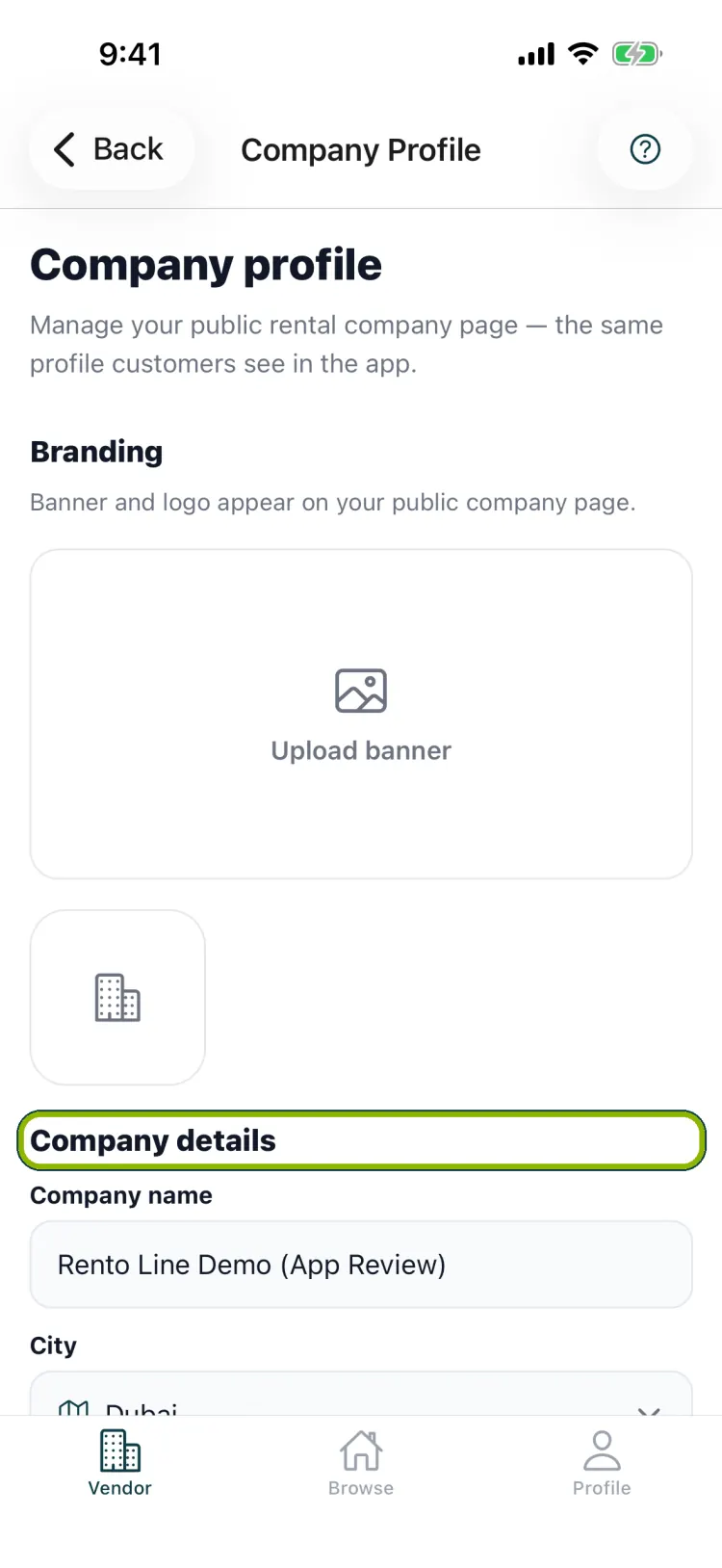
Company screen with the company details marked Шаг 4: Add WhatsApp, website, Instagram, Facebook, TikTok and YouTube under “Social & contact links”.
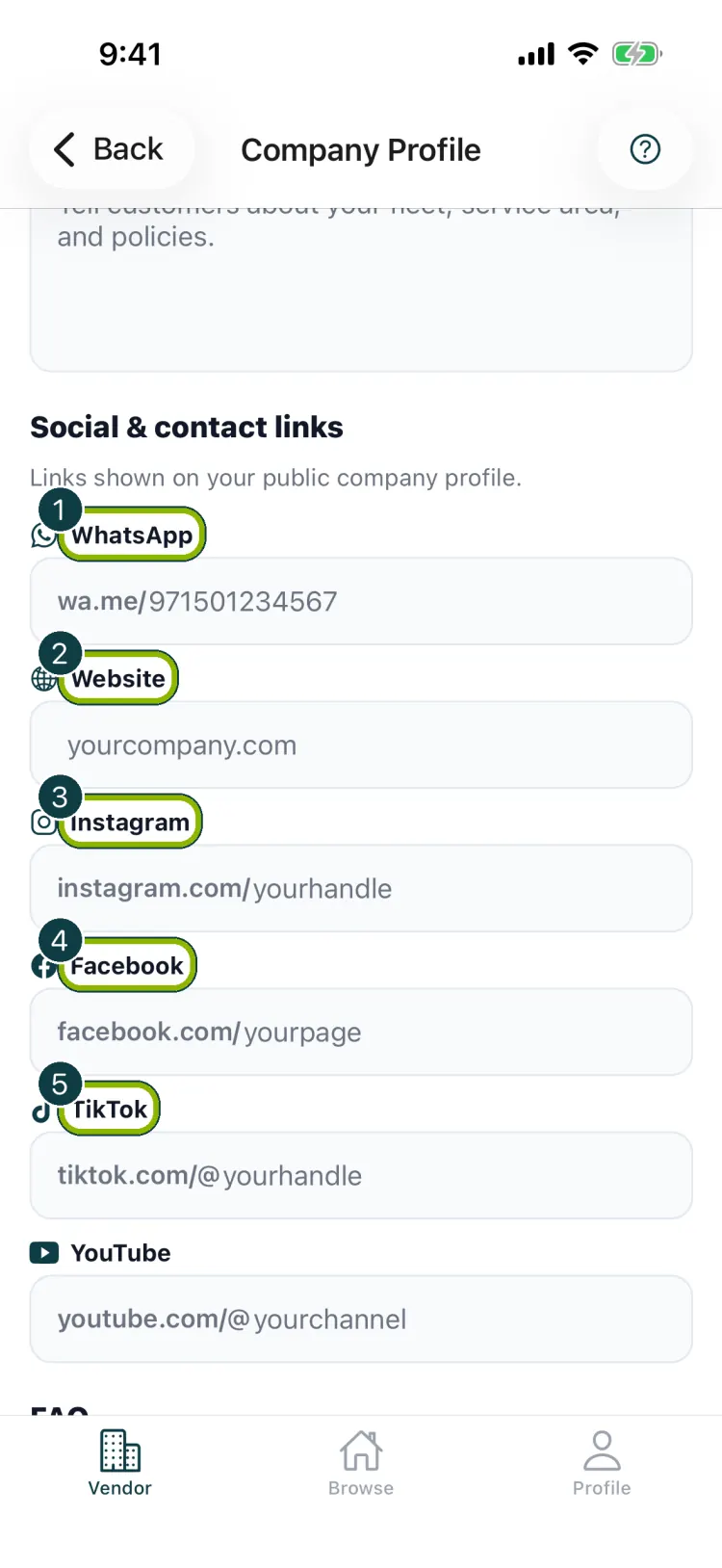
Company screen with WhatsApp, website and social links marked Шаг 5: Tap “Save company profile”, then “Preview public profile”.
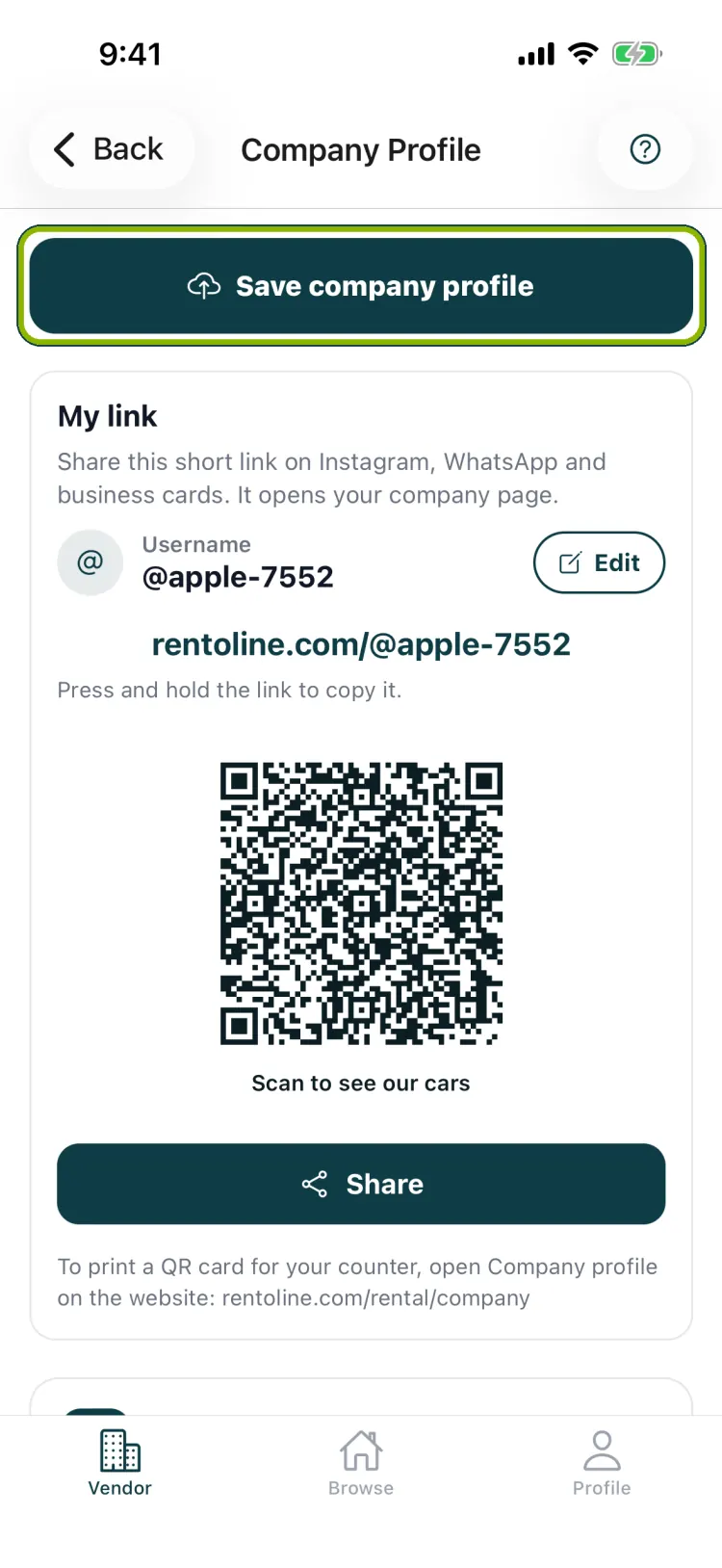
Company screen with the save button marked
Советы
- New images and text are checked by our team before they show.
- Opening hours and Google reviews come from your Google Business profile.
Похожие инструкции
На RentoLine нет онлайн-бронирования и оплаты: вы договариваетесь и платите напрямую прокатной компании.
Нужна помощь?
Наша команда отвечает по бесплатному звонку, в WhatsApp (+44 7577 563300), по электронной почте и в чате.