
Write your company description with the assistant
Get a clear, search-friendly description of your company in seconds.
- For
- Rental companies
- Where
- Website / Web panel
- 2 min
Goal: Have a strong “About” text.
Steps
Step 1: In the web panel open Rental Company.
Step 2: Under “About the company”, choose the draft language (EN or AR) and tap “Generate”: the assistant writes a draft for you.
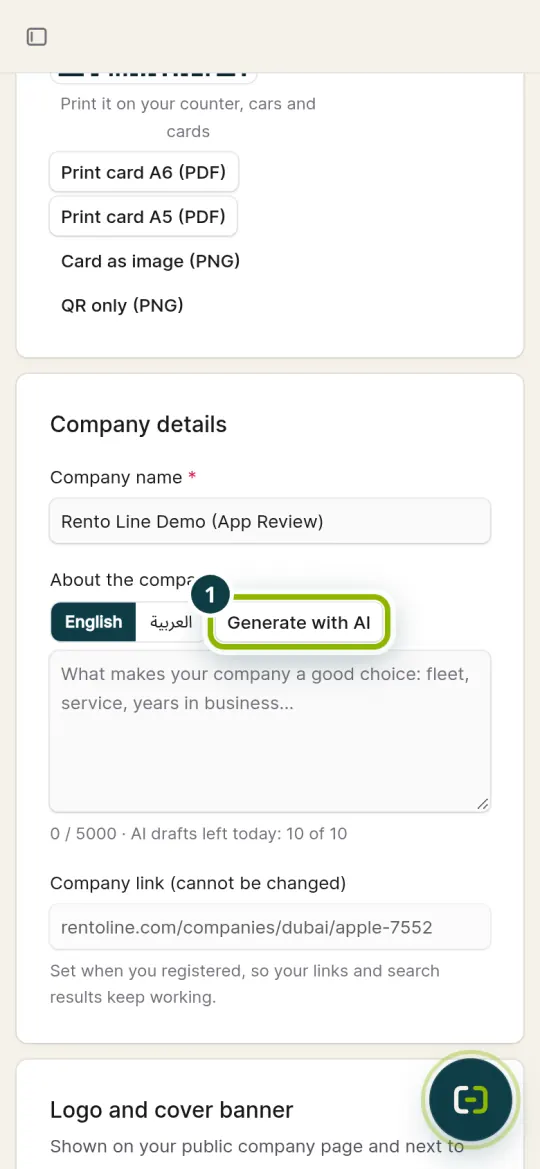
Company page in the web panel with the Generate button marked under the company description Step 3: Read the draft, edit anything that is not exact, then Save changes.
Tips
- Keep facts true: years in business, areas you deliver to, car types.
Related guides
RentoLine has no online booking and no payments: you agree and pay directly with the rental company.
Still need help?
Our team answers by free call, on WhatsApp (+44 7577 563300), by email and in chat.