
Let the assistant reply to your clients
When you are busy, the assistant answers in the client's language using only your own cars, prices and terms.
Эта инструкция доступна на английском и арабском.
- Для кого
- Прокатные компании
- Где
- Приложение · Сайт / Веб-панель
- 2 мин
Цель: Answer every client, day and night.
Шаги
Шаг 1: Open Messages and tap the gear icon at the top (Chat settings).
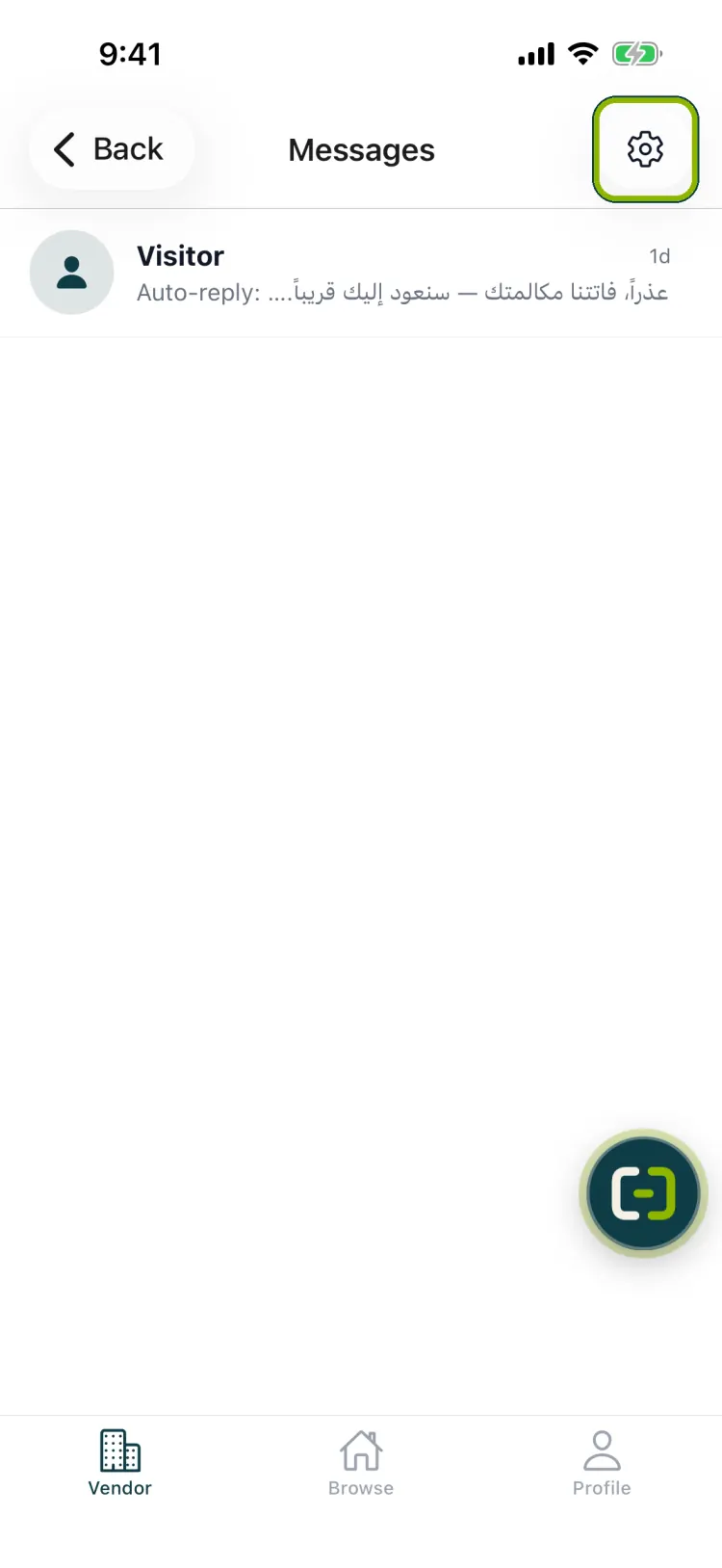
Messages screen for companies with the chat settings gear marked Шаг 2: Turn on the switch that lets the assistant reply to your clients.
Шаг 3: Choose “Pause after my reply”: when you reply yourself, the assistant stays quiet in that chat for that time.
Советы
- The assistant never invents prices or availability. It asks clients to call or WhatsApp you to confirm.
- Clients see these replies marked “Auto-reply”.
- Available on the Plus plan. Your Plan page shows what your plan includes.
Похожие инструкции
На RentoLine нет онлайн-бронирования и оплаты: вы договариваетесь и платите напрямую прокатной компании.
Нужна помощь?
Наша команда отвечает по бесплатному звонку, в WhatsApp (+44 7577 563300), по электронной почте и в чате.