
See who visits your cars — live
A live globe shows where your visitors are, now and in the last 30 days. Export a PDF report.
- For
- Rental companies
- Where
- App · Website / Web panel
- 2 min
Goal: Know where your clients come from.
Steps
Step 1: On the Vendor tab, the visits card shows LIVE visitors and visits in the last 30 days. Tap it to open Traffic.
Step 2: Switch between Globe and Map, and between Live and Top countries.
Step 3: Tap “Export PDF report” to share your performance report.
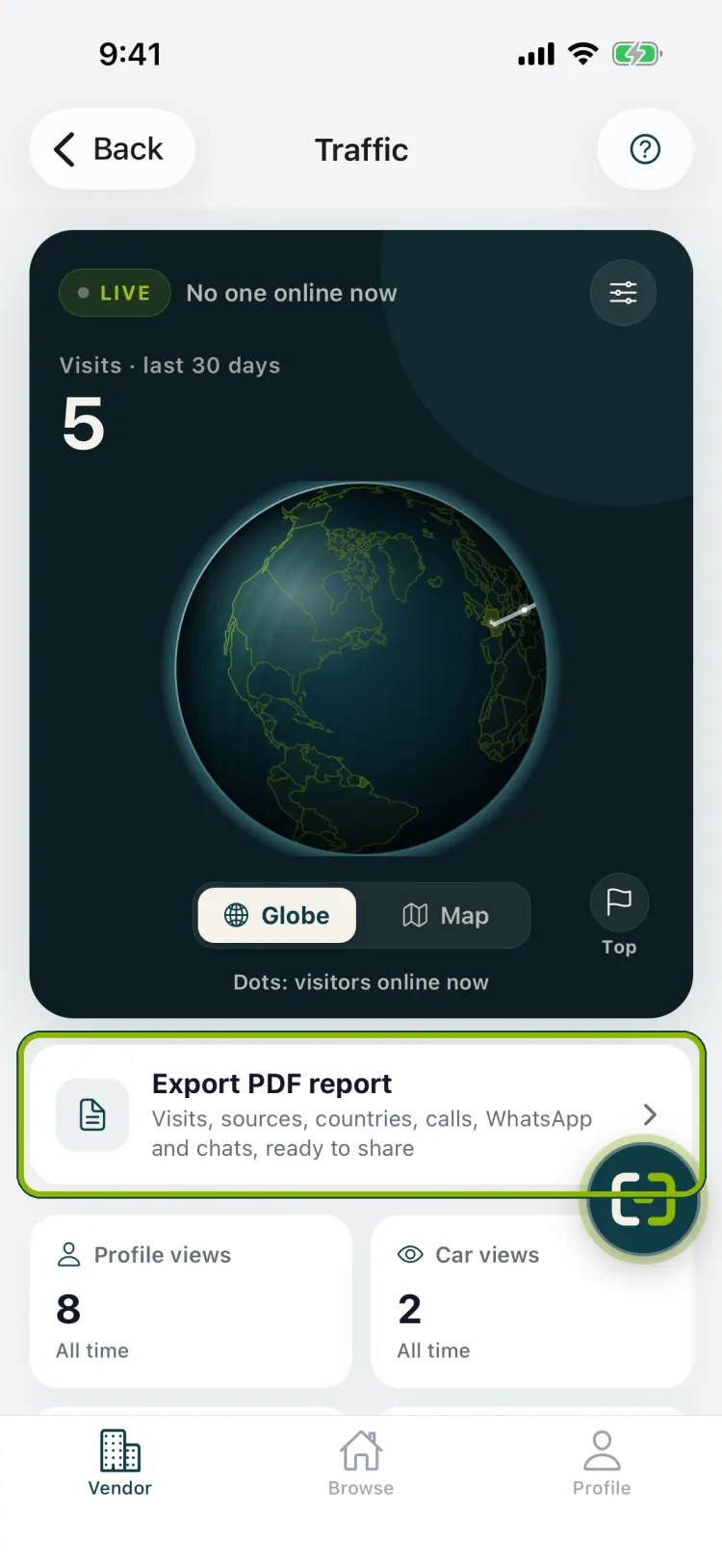
Traffic screen with Export PDF report marked
Tips
- Many visitors from one country? Add a WhatsApp number and offers that suit them.
Related guides
Read your company statsViews, calls, WhatsApp taps and chats for any period.2 minYour morning summaryEvery morning: yesterday's views, calls, WhatsApp taps, free calls and messages.1 minAsk RentoLine — your assistantAsk by voice or text: “How many calls today?”, “Which car is viewed most?”, “Change a car's price”.2 minSee live activity on your carsLive Action shows who is on your cars and your company page right now, where they are from and who contacted you.2 min
RentoLine has no online booking and no payments: you agree and pay directly with the rental company.
Still need help?
Our team answers by free call, on WhatsApp (+44 7577 563300), by email and in chat.