
Understand a car page
Prices, deposit, specs, terms and offers — what each part of a car page means.
Эта инструкция доступна на английском и арабском.
- Для кого
- Арендаторы
- Где
- Приложение · Сайт
- 2 мин
Цель: Know the full cost and terms before you contact the company.
Шаги
Шаг 1: Tap a car to open it. Swipe the photos, or tap one to see it full screen.
Шаг 2: Check the price per day. Weekly and monthly prices are usually lower per day. “Ask for price” means the company tells you the price.
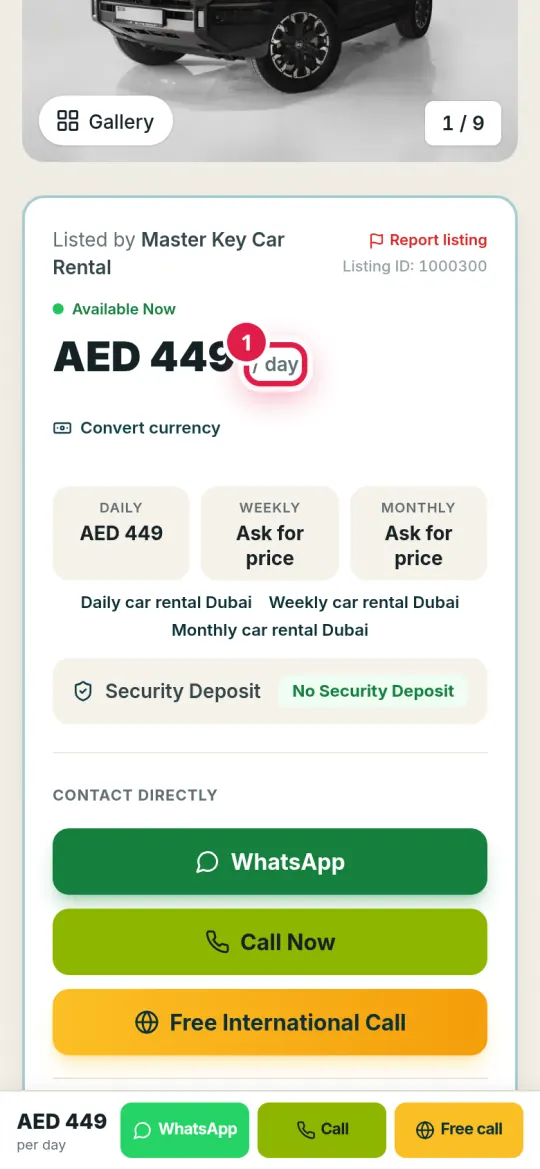
Car page price card showing the price per day, weekly and monthly prices and the security deposit Шаг 3: Check the security deposit, or “No Security Deposit”.
Шаг 4: Read Specifications, Description, Delivery and rental terms (km limit, minimum days, insurance).
Шаг 5: If you see an offer box with a code, mention the code when you call or WhatsApp the company.
Советы
- Tap Share to send the car to a friend.
Вопросы
Is the price final?
The company sets the price. Confirm the final price, extras and deposit with the company before you rent.
Похожие инструкции
На RentoLine нет онлайн-бронирования и оплаты: вы договариваетесь и платите напрямую прокатной компании.
Нужна помощь?
Наша команда отвечает по электронной почте.