
Get more clients from Google: link your accounts to your RentoLine page
Every link from your website and your social accounts to your RentoLine page helps Google find and trust your page and your cars. Here is where to put your link, step by step.
Эта инструкция доступна на английском и арабском.
- Для кого
- Прокатные компании
- Где
- Сайт / Веб-панель · Приложение
- 5 мин
Цель: Put your RentoLine link everywhere your clients already look for you.
Шаги
Шаг 1: Copy your page link. In the web panel open Rental Company: under “Your short link” you see rentoline.com/@your-name — tap Copy. Want a shorter name? Tap “Request a shorter name” (RentoLine approves it). In the app: Profile → My link → Share or Edit.
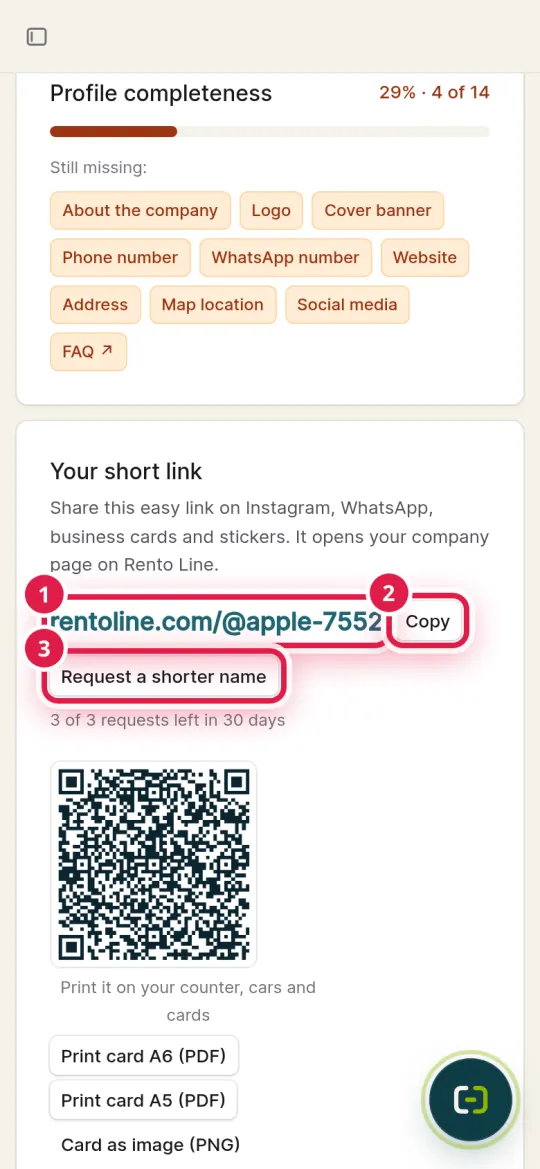
Company profile in the RentoLine web panel: “Your short link” rentoline.com/@apple-7552 with the Copy and “Request a shorter name” buttons marked Шаг 2: Put the link in your bios: Instagram (Edit profile → Links → Add external link), TikTok, Facebook, X and Snapchat, and the website field of your WhatsApp Business profile. If you have no website of your own, use it as the website in your Google Business Profile too. Website Badge → “Copy bio link” gives you the ready link.
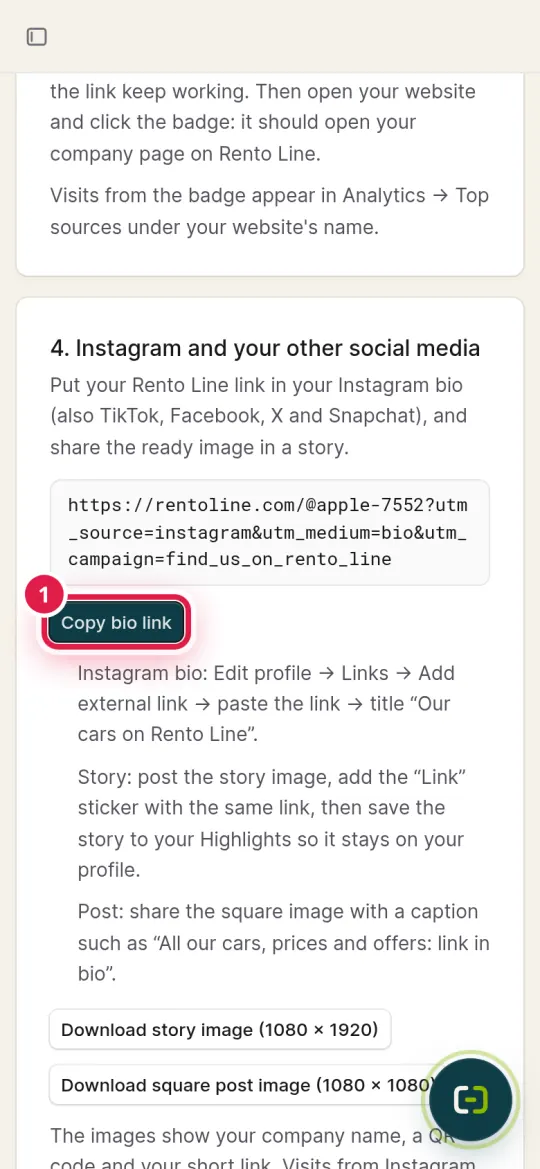
Website Badge page, section 4: the Instagram bio link with the “Copy bio link” button marked and the bio steps Шаг 3: Add the RentoLine badge to your own website. In the web panel open Website Badge, choose a badge and your website's platform (WordPress, Shopify, Wix, Squarespace, Webflow, Next.js / React, Google Sites or any HTML website), tap “Copy code” and paste it in your website footer, so it shows on every page. Then tap “Test my badge” to check that the link is there.
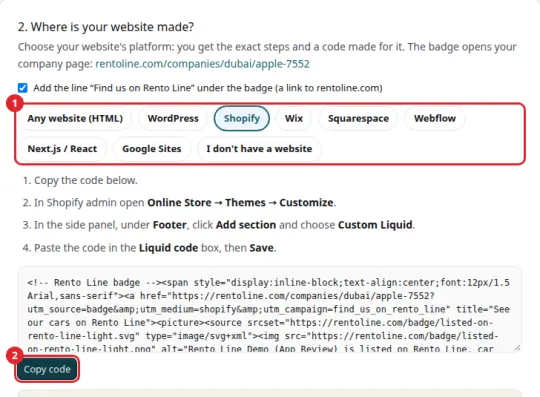
Website Badge page, section 2: the website platform tabs (Shopify selected) marked 1 and the “Copy code” button marked 2 Шаг 4: Add the link to your email signature, and print your QR card: under “Your short link” choose “Print card A6 (PDF)”, A5, or the PNG image. Put it on your desk and in your cars.
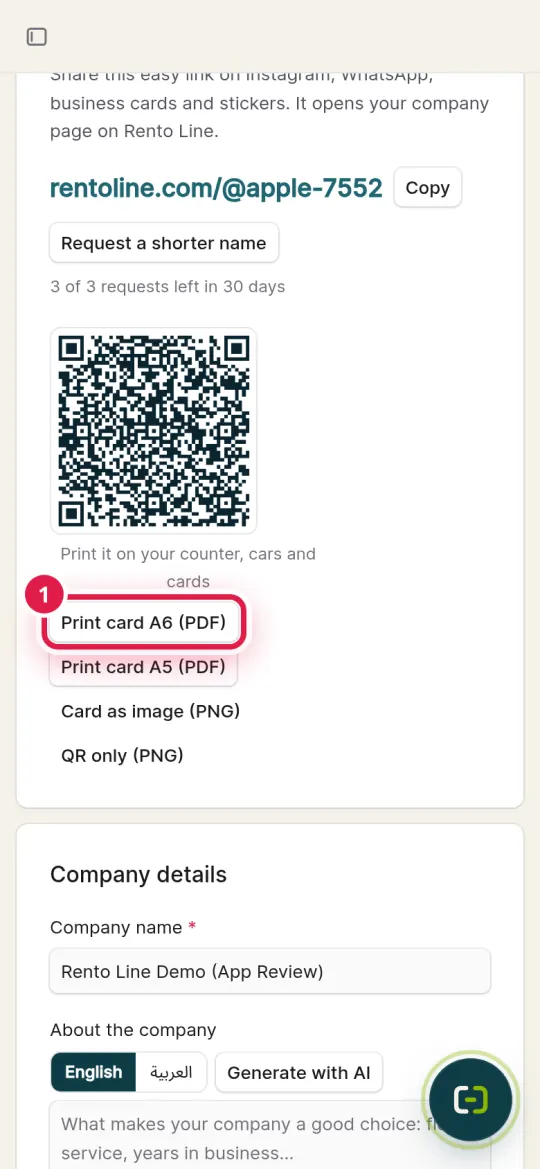
The QR code of the company link with the “Print card A6 (PDF)” button marked, above A5, PNG and QR-only options Шаг 5: When you post about one car, link to that car: open the car on rentoline.com, tap Share, and paste its link in your post, story or WhatsApp status.
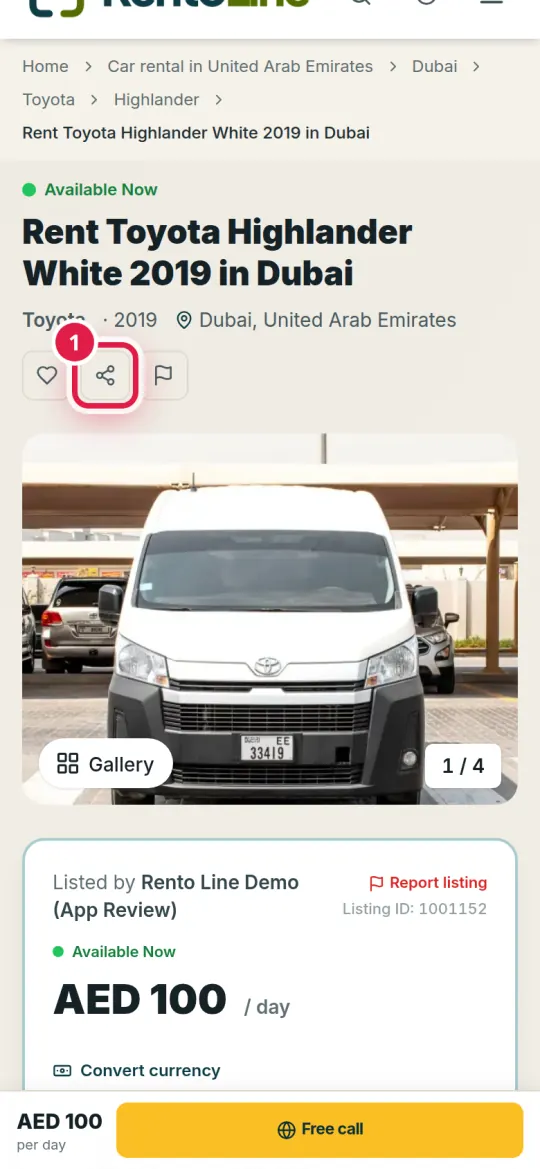
A car page on rentoline.com with the Share button marked Шаг 6: Check your page: open your link and make sure your name, phone, logo, cars and description are complete. Visits from your links show in Analytics → Top sources.
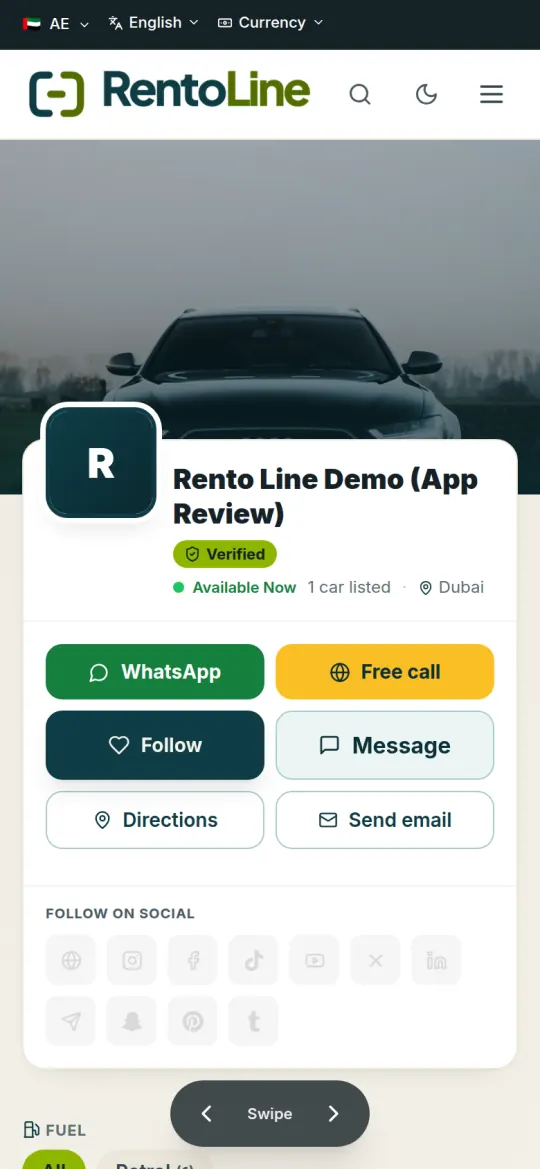
A company page on RentoLine: logo, Verified badge, WhatsApp, Free call, Follow and Message buttons
Советы
- Use exactly the same company name everywhere: on your website, your social accounts, Google and RentoLine.
- One link per platform is enough. Don't repeat it in every post or comment.
- Never buy links or join link exchanges: Google can lower pages that do this.
- Keep your phone, address and opening hours the same everywhere.
Вопросы
Why does a link to my RentoLine page help?
Search engines find pages through links and trust pages that real businesses link to. Your page also shows clients your cars, your Verified badge and how to call you, so a client who finds you anywhere can see everything in one place.
Will this put me first on Google?
No one can promise a place on Google: Google decides. Links from your own accounts help Google find and trust your page; results take time.
Do clients pay RentoLine when they come from my link?
No. Clients contact you directly by call, WhatsApp or chat. There is no booking, no payment and no commission on RentoLine.
My website is on Shopify, Wix or Next.js. Can I still add the badge?
Yes. Website Badge has a tab for each platform with the exact steps and a ready code: HTML, WordPress, Shopify, Wix, Squarespace, Webflow, Next.js / React and Google Sites. No website? Use your short link instead.
Похожие инструкции
На RentoLine нет онлайн-бронирования и оплаты: вы договариваетесь и платите напрямую прокатной компании.
Нужна помощь?
Наша команда отвечает по бесплатному звонку, в WhatsApp (+44 7577 563300), по электронной почте и в чате.