
Add a car
List a car with its details, prices, terms and photos.
Эта инструкция доступна на английском и арабском.
- Для кого
- Прокатные компании
- Где
- Приложение · Сайт / Веб-панель
- 5 мин
Цель: Get a car live and ready for calls.
Шаги
Шаг 1: On the Vendor tab tap Add car (web panel: Vehicles → Add Vehicle).
Шаг 2: Optional: type the VIN in “Quick add by VIN” and tap Auto-fill.
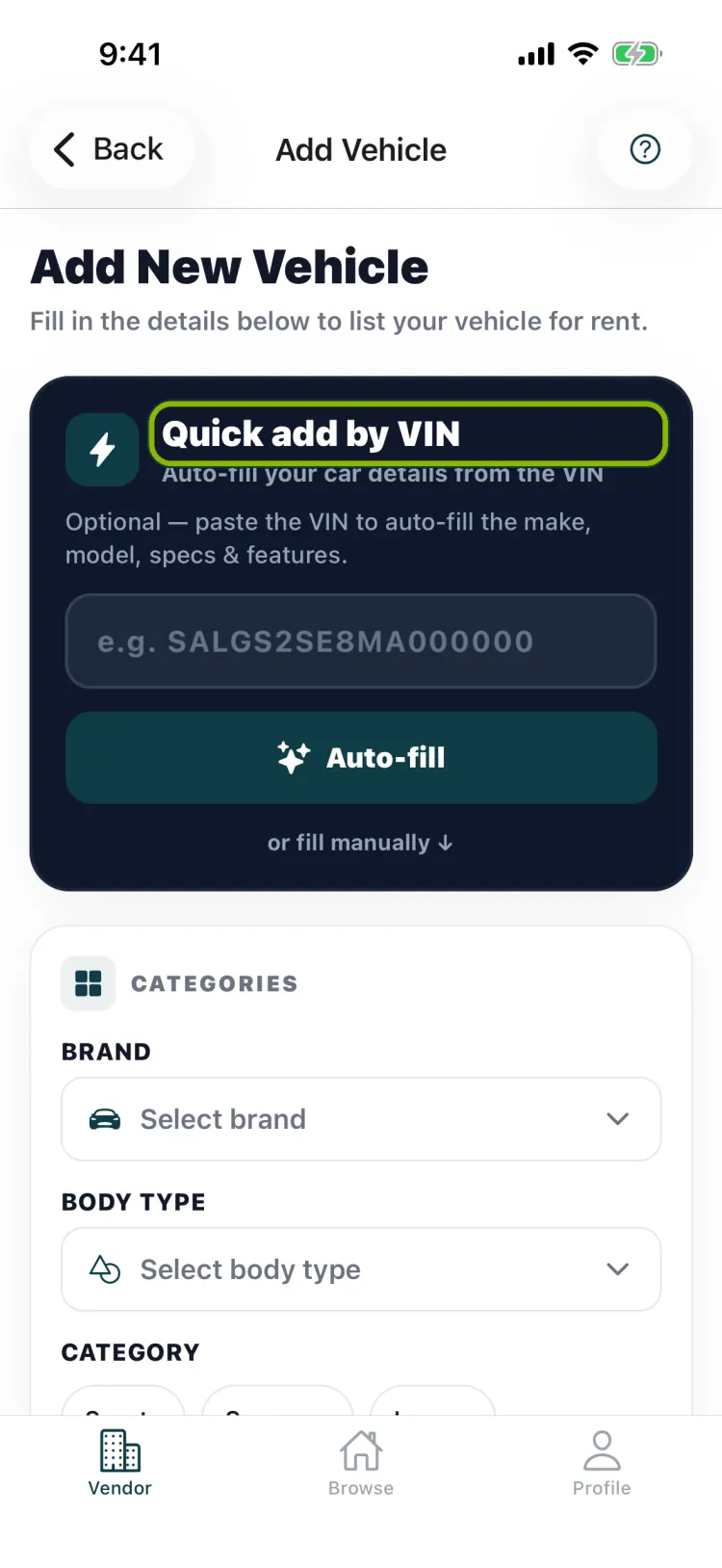
Add car screen with Quick add by VIN marked Шаг 3: Choose brand, model, body type, category and city. Add year, colour, seats, fuel and transmission.
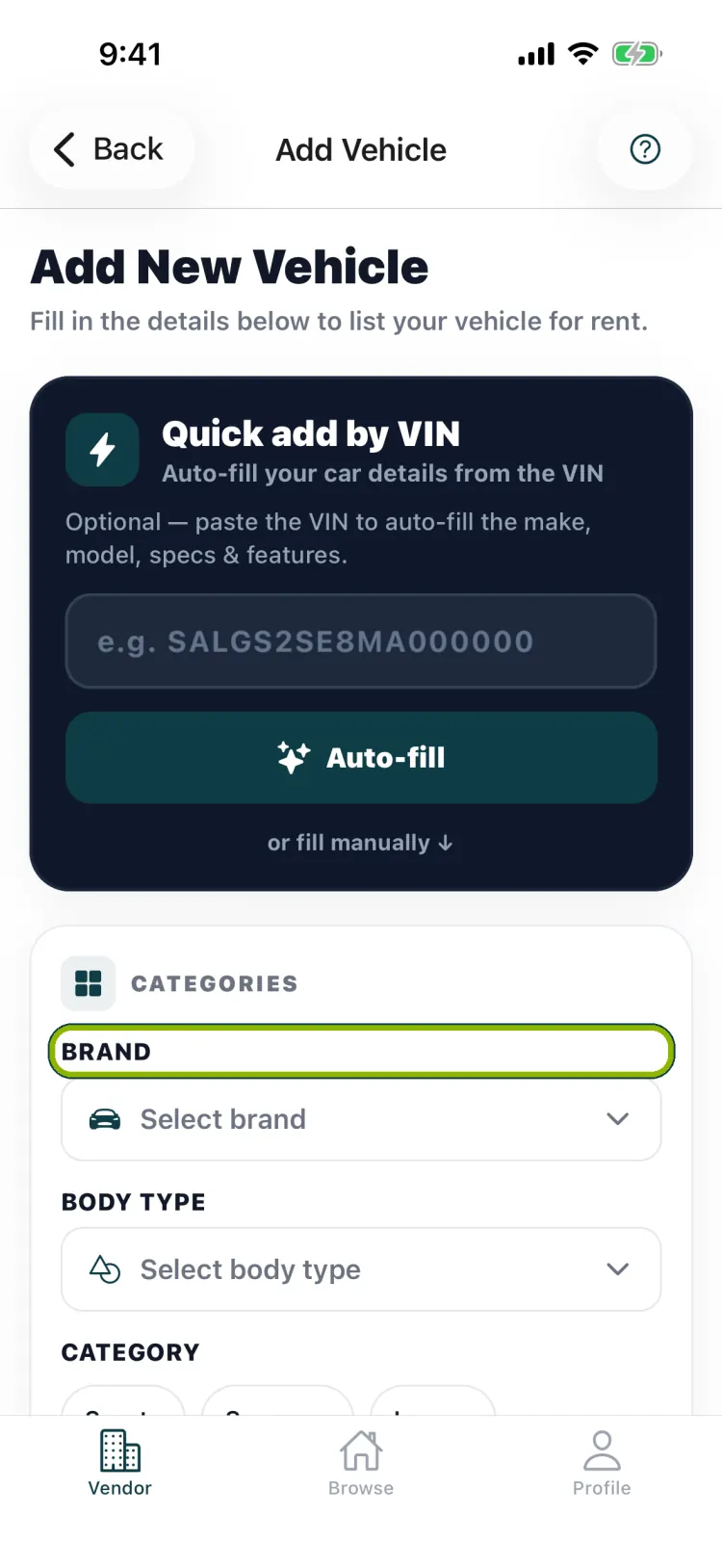
Add car screen with brand, model, body type and city marked Шаг 4: Enter the daily price (required). Add weekly and monthly prices and the security deposit.
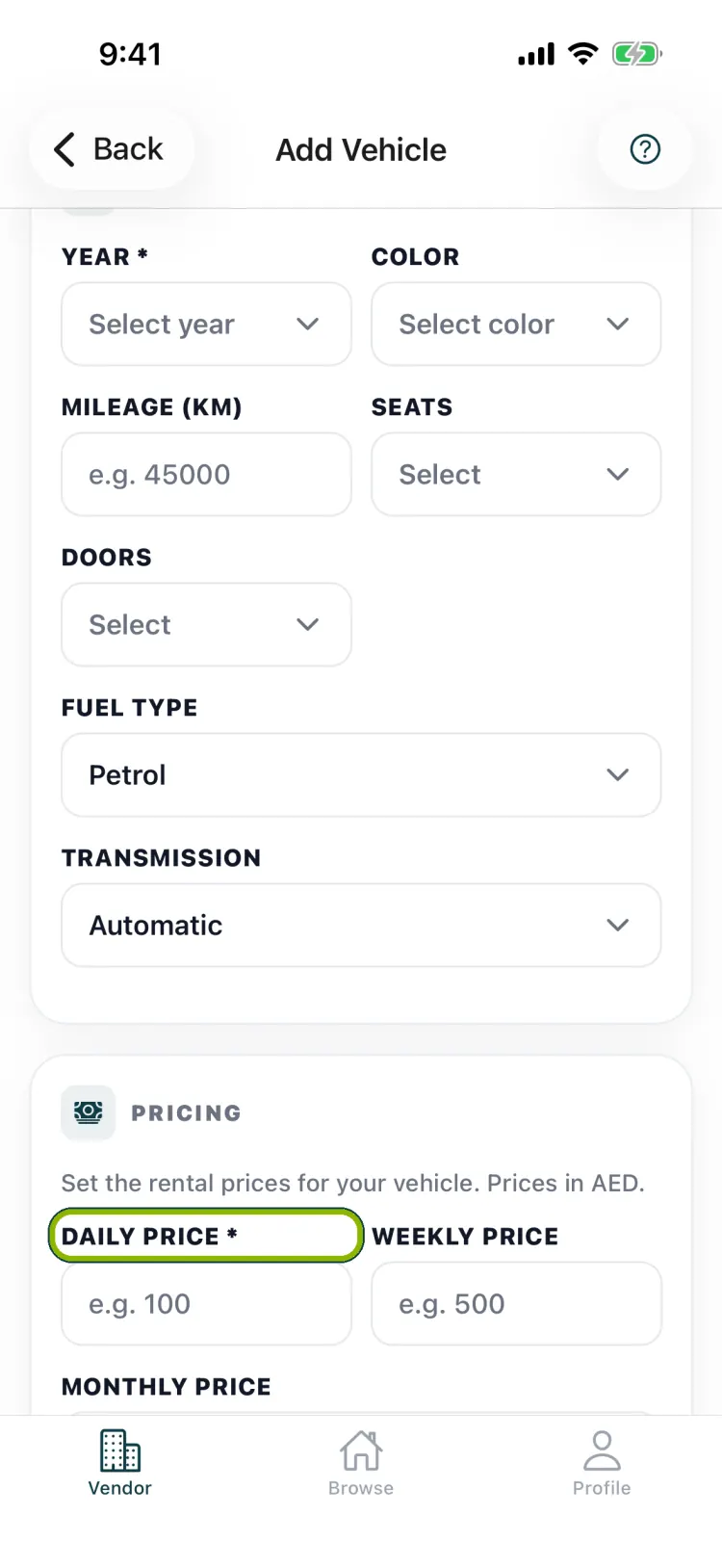
Add car screen with the daily, weekly and monthly prices marked Шаг 5: Fill in the rental terms: km included, minimum days, insurance, delivery and payment methods.
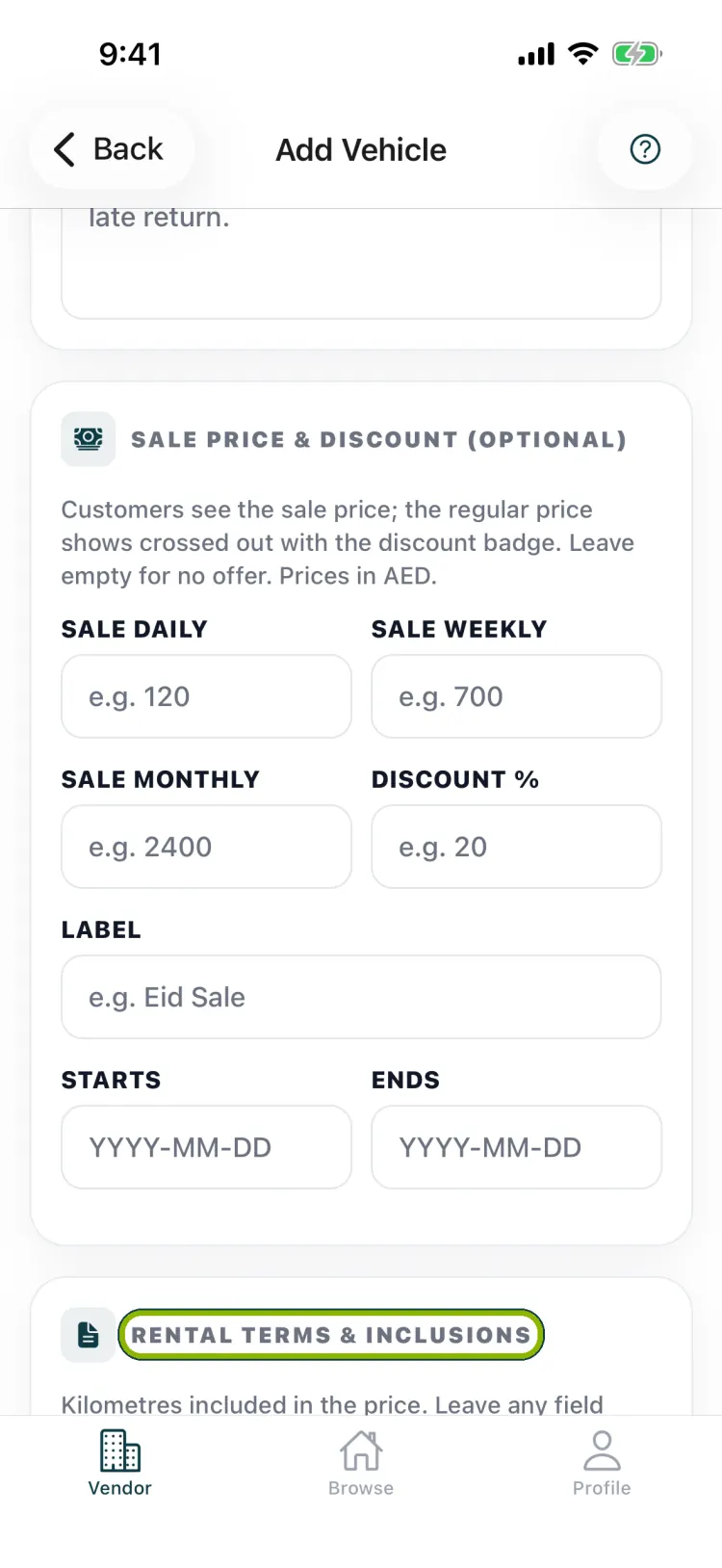
Add car screen with the rental terms marked Шаг 6: Add at least 3 clear photos. The first photo is the cover.
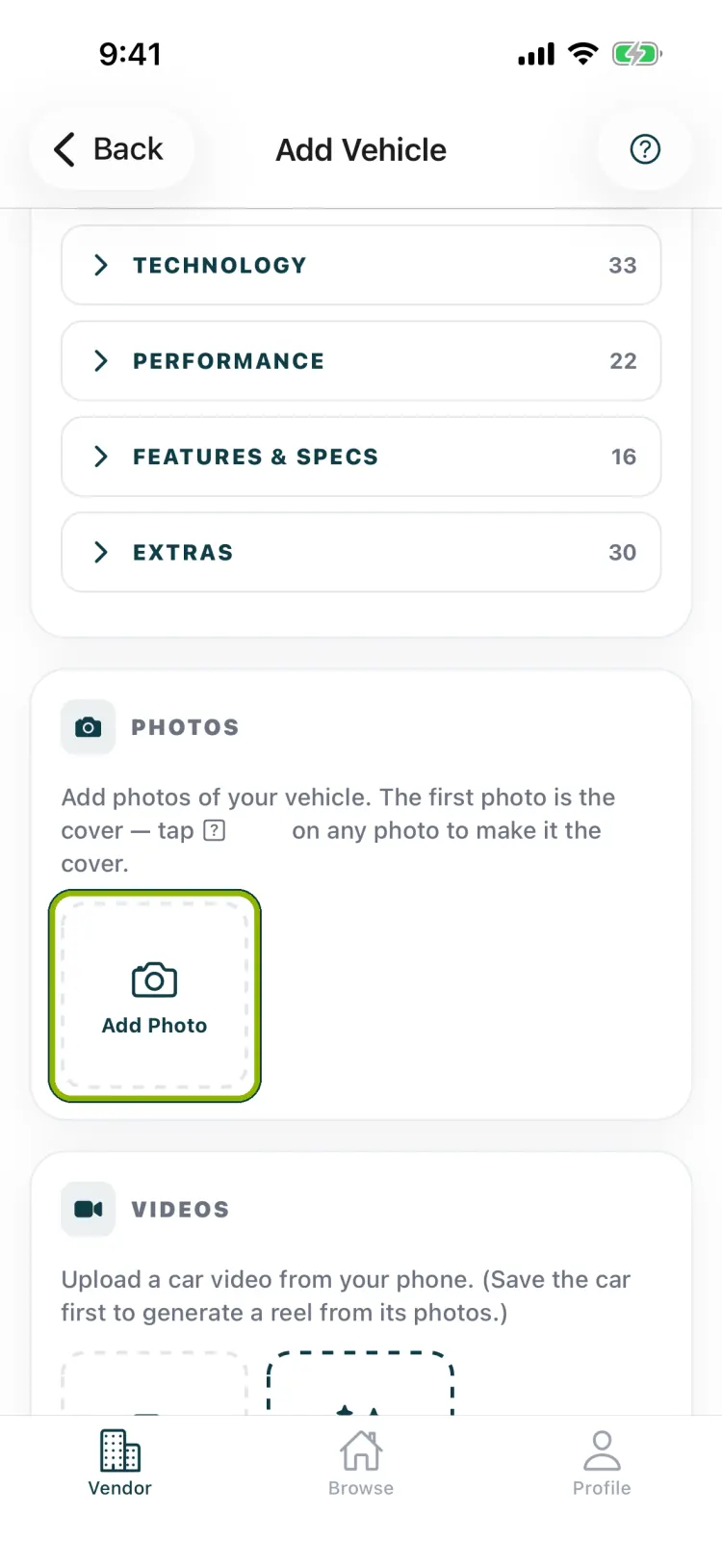
Add car screen with Add Photos marked Шаг 7: Tap Add Vehicle. The car goes to review, then goes live.
Советы
- Tap “Rewrite title & description with AI” for a clear title and description.
- Don't write prices in photos or videos. Prices change; keep them in the price fields.
Вопросы
Why can't I publish my car?
A car needs at least 3 photos and an approved trade licence. Until then you can save it as a draft.
Похожие инструкции
На RentoLine нет онлайн-бронирования и оплаты: вы договариваетесь и платите напрямую прокатной компании.
Нужна помощь?
Наша команда отвечает по бесплатному звонку, в WhatsApp (+44 7577 563300), по электронной почте и в чате.